Office Pod Energy Use: Define Running Modes Before Comparing Operating Costs
To budget office pod energy use, list the equipment inside your calculation boundary, identify its operating modes, and assign a supported power value and non-overlapping hours to each mode. Keep user equipment and cooling clearly identified. A pod's electrical rating, a booking schedule and a building electricity bill answer different questions; none alone establishes the cost of running your proposed configuration.
For a facilities buyer, the useful output is a budget that another person can update: what is included, where each input came from, which hours it covers, and what still needs verification. Start with that structure before comparing two suppliers' running-cost claims.
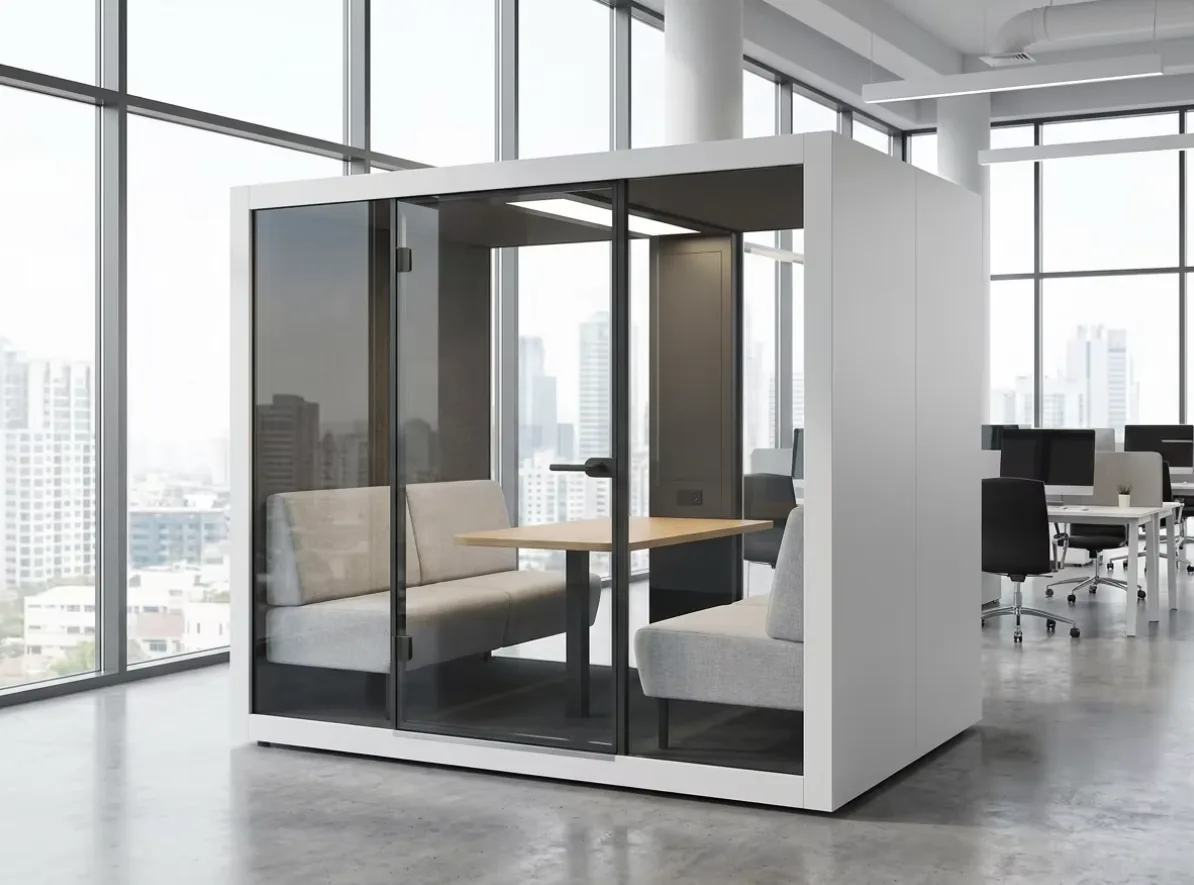
Decide What the Budget Includes
Use an equipment list rather than a single line called "the pod." Separate the enclosure's fitted electrical equipment from the devices people bring in and from the building systems serving the space.
Scroll horizontally to compare all columns.
| Budget line | What to identify | How to keep the boundary clear |
|---|---|---|
| Fitted lighting | Actual lights, drivers and agreed controls | Include the supplied configuration, not a similar model's lighting specification. |
| Fans and ventilation controls | Devices, settings and any confirmed run-on period | Airflow information is not an electrical power input. Record power separately. |
| Socket-connected equipment | Computers, monitors, chargers and meeting devices actually expected | A socket's capacity is not the consumption of the equipment connected to it. |
| Dedicated cooling, where specified | The complete system and the electrical loads covered by its data | Identify indoor and outdoor components and auxiliaries; do not count the same system twice. |
| Building HVAC | The building service that affects the pod location | Keep any allocation separate unless the facilities team provides an applicable measurement or model. |
| Other controls or accessories | Only the devices included in the particular order | Confirm whether their consumption is already included in another line. |
For each line, identify whether the supplier, the buyer or the building operator provides the equipment. An unknown item remains an open input, not a zero-watt item. A confirmed absence can be marked "not included" with an explanation.
Use the cooling, ventilation and site-work guide when deciding what system the project needs. This budget starts after those options have been described; it does not size an air conditioner or treat a ventilation fan as cooling equipment.
Separate Power, Energy and a Supply Rating
Power describes the rate of electricity use; energy describes use over time. The U.S. Energy Information Administration's explanation distinguishes watts from watt-hours and states that one kilowatt equals 1,000 watts. Keep the units visible in every input column.
Three types of information belong in different places:
- Rated input or supply information: record the manufacturer, model, units and stated meaning. A maximum input, connection rating or power-supply capacity is not automatically an average operating load.
- Measured operating information: record the equipment covered, setting, measurement interval and conditions. A momentary reading may help describe a state; it is not a complete daily profile.
- Planning assumptions: record why the value is being used and who will replace it with better information. Do not label an assumption as a measurement.
Virginia Cooperative Extension's energy-use guide notes that actual consumption can depend on the setting and that some equipment draws power while apparently switched off. Its household examples are not MobileX specifications. For this project, obtain the actual equipment data instead of transferring those example wattages into the budget.
Where loads vary or equipment cycles, use measured energy over a relevant interval or a supported average for a defined mode. If only a rated value is available, label the resulting calculation as a provisional rated-input scenario. It should not silently become the expected operating cost.
Build a Timeline Without Counting the Same Hour Twice
Define modes by what the equipment does, not just whether someone has booked the space. Useful starting labels are off, ready or standby, and occupied. Add a distinct run-on or cleaning mode only when the actual configuration requires it.
For one device, those mode intervals must not overlap. Their total should cover the budget period, including evenings, weekends or holidays where relevant. Different devices can run at the same time: lighting and a computer each consume electricity, so simultaneous device rows are appropriate. The error is counting the same device twice, not counting two devices operating together.
Check the following assumptions with the operator:
- Does a booking make equipment active, or does someone operate a separate control?
- What happens after the user leaves? Which confirmed devices continue running, and for how long?
- Does ready mode apply throughout opening hours, throughout the whole day, or only during specified periods?
- Are cleaning and maintenance periods already included in occupied or ready hours?
- Are weekends and shutdown days different from ordinary working days?
Automatic lights, occupancy controls, access integration and shutdown functions are configuration questions, not default capabilities established by this article. Choose mode names after confirming the actual behavior. Never turn off a required service or bypass a protection function merely to match an energy assumption.
The coworking booking and handover guide can help describe use patterns. Booking duration remains an input to investigate, rather than proof of equipment running time.
Calculate Energy First, Then Apply the Relevant Price
For a device with a supported average input in a defined mode:
Mode energy (kWh) = average input (W) × mode hours ÷ 1,000.
Add the non-overlapping modes for that device, then add the devices within the chosen boundary. When an interval already has a measured kWh total, use that total once; do not multiply it by hours again. An average derived from a measured interval should retain that interval and its conditions in the source record.
For a constant energy-unit price:
Energy charge = energy (kWh) × price per kWh.
If the price varies by time period, allocate the relevant energy to those periods before adding the charges. Confirm the tariff with the bill owner. Fixed charges, demand-related charges, taxes and any landlord allocation need separate treatment where applicable; this calculation is not a prediction of the entire building bill.
The Australian Government's energy-rating guidance also uses energy consumption multiplied by the applicable electricity rate to estimate running cost, and explains that published consumption figures use assumptions. That general principle does not give an office pod an appliance rating or establish its annual consumption.
Use a Budget Sheet With Visible Gaps
The worksheet below is a buyer's planning tool. Copy it into your own budget and repeat the mode rows for each device or clearly defined equipment group. Enter values only after identifying their source. All blanks are unresolved inputs, not zeros.
Budget period: [dates and total hours]
Configuration and quantity: [reference]
Calculation boundary: [included equipment; exclusions]
Currency and tariff source: [bill or agreed rate, date and conditions]
Scroll horizontally to compare all columns.
| Device / mode | Input and source | Hours in this period | Energy and charge |
|---|---|---|---|
| [Device] / off | [W or interval kWh; evidence; conditions] | [hours] | [kWh]; [rate]; [charge] |
| Same device / ready | [W or interval kWh; evidence; conditions] | [hours] | [kWh]; [rate]; [charge] |
| Same device / occupied | [W or interval kWh; evidence; conditions] | [hours] | [kWh]; [rate]; [charge] |
| Same device / other confirmed mode | [mode name; data and source] | [hours, not counted above] | [kWh]; [rate]; [charge] |
| Device subtotal | [measured / estimated / unresolved] | [sum reconciled to period] | [sum of mode energy and charges] |
| Additional equipment | [repeat the device and mode rows] | [device-specific schedule] | [separate subtotal] |
| Building service allocation | [facilities-approved basis, or unresolved] | [applicable period] | [separate amount; no duplicate loads] |
Do not combine an upstream meter total with the individual loads already covered by that meter. Either use the total for its defined boundary or use the component calculation for that same boundary. Component readings can explain a total, but they are not extra consumption to add to it.
For several pods, multiply by quantity only when the configurations and operating profiles justify it. Where one unit is used continuously and another is mainly available for occasional calls, separate their schedules rather than assuming an identical fleet average.
Test the Assumptions That Could Change the Decision
Prepare an expected-use case and one clearly labelled alternative, using evidence-backed inputs or explicit blanks in both. Change a relevant assumption, not every row at once, so the buyer can see what drives the result.
For example, a hypothetical office may have the same opening hours under two operating plans. In one, confirmed equipment remains ready throughout those hours; in the other, the agreed controls produce a different ready/occupied profile. The comparison needs the actual mode loads and intervals. Without those inputs, neither plan has a defensible saving percentage.
People and devices affect different assumptions. Occupancy affects the schedule and may affect equipment operation; each additional laptop is also a separate possible load. Screen use, meeting hardware and charging patterns should match the intended tasks. The calls and desk-work guide helps specify those tasks before estimating them.
For cooling and building services, record relevant indoor conditions, operating schedules and the system used. Ask the facilities team or equipment supplier which conditions their estimate covers. Do not scale a building HVAC bill by the pod's floor area and present the result as measured pod consumption.
When comparing a pod with a conventional meeting room, hold the purpose of the comparison steady: the required tasks, service hours, equipment boundary and treatment of shared building services. A smaller enclosure is not, by itself, evidence of lower total project energy use. If the room already exists, identify which costs would actually change rather than allocating every existing building cost to one option.
Obtain the Missing Inputs From the Right People
Ask the pod supplier for the proposed electrical equipment schedule, component references, rated-input information and documented control behavior. Ask equipment vendors for information covering the selected monitors, meeting devices or dedicated cooling system. Ask the facilities team for operating patterns, applicable tariffs and an appropriate basis for building-service treatment.
If measurements are needed, have the responsible facilities or electrical professional choose a suitable instrument, safe method and representative recording period. Define the measurement boundary and the report you need; this article is not an instruction to open panels, expose conductors or connect a meter to live wiring. In Great Britain, HSE's guidance on electrically powered equipment emphasizes suitability, safe condition and competent inspection. Apply the requirements and professional arrangements relevant to the actual project location.
Send a concise request that separates product questions from site inputs:
- Project, destination and quantity: [add details]
- Proposed pod configuration and user devices: [list references]
- Tasks and ordinary / exceptional operating schedules: [describe]
- Required controls and known running modes: [confirmed / to discuss]
- Available power or energy records: [source, date, units and conditions]
- Building cooling and tariff information: [facilities contact or unresolved]
- Required supplier response: [equipment list, included controls and data gaps]
For a MobileX new-configuration discussion, use the custom modular pod page and contact the project team with that brief. Request the information applicable to the quoted configuration and complete the site inputs with your facilities team. A useful budget makes its assumptions reviewable before it makes a running-cost claim.