Office Pod Delivery Acceptance: Inspect the Pod, Installation and Handover
Accept an office pod in stages, not with one vague signature. First record what arrived and whether the packaging or visible parts were damaged. Then check the assembled enclosure against the agreed model, drawing revision and quotation. Test only the functions included in that order, and close the remaining document and defect list with named owners and evidence.
This separates four decisions that are often compressed into “delivery complete.” A crate can arrive without obvious damage while a part is still missing. An enclosure can look complete while power, lighting or ventilation has not been commissioned by the responsible party. A functional check can pass while an acoustic claim still lacks the agreed test evidence. Each decision needs its own acceptance reference.
Define Acceptance Before the Pod Ships
The useful time to define acceptance is before dispatch, when the buyer can still connect each check to an order line, drawing, responsibility and remedy. Start with the exact product identity: model or approved custom reference, quantity, finish, electrical version, included options and the revision of any layout used for production. Keep those facts separate from marketing images or a general catalog.
Public procurements show why that separation matters. A Shropshire Council tender for six library acoustic pods specified demountable, unfurnished units with lighting, ventilation and power, then asked bidders to price delivery and installation by location. A 2026 United States Army solicitation indexed from the official SAM.gov opportunity separately described pre-installation inspection, assembly, electrical and data work, packaging disposal and punch-list correction. These are examples of buyers defining the work around the enclosure; they are not MobileX contracts, standard inclusions or universal acceptance rules.
If the order is enclosure-only, do not reject it because locally sourced furniture has not arrived. If the quotation includes furniture or equipment, list those items and their supplier separately so they cannot disappear inside the word “pod.” The guide to office pod quotation scope explains how to establish that boundary before acceptance begins.
Use Four Acceptance Stages
A buyer may combine stages when the same team performs them, but the evidence and decision at each stage should remain distinguishable.
| Stage | What the Buyer Decides | Useful Evidence | What This Does Not Prove |
|---|---|---|---|
| 1. Receipt and packing condition | Whether the shipment count and visible condition allow unloading, storage and later inspection to proceed. | Packing list, package identifiers, time-stamped photographs and a record of visible damage or shortage. | That concealed parts are complete, installation is correct or the pod performs as specified. |
| 2. Installed enclosure | Whether the ordered enclosure and included parts are assembled in the agreed location and match the approved reference. | Order line, model or custom reference, approved drawing revision, installation record and photographs of the completed enclosure. | That building power, data, third-party equipment or performance tests are complete. |
| 3. Included functions | Whether the included door hardware, lighting, ventilation, sockets and other ordered functions operate under the agreed site conditions. | Function checklist, responsible trade sign-off where required, serial or component references and recorded exceptions. | Universal device compatibility, a fixed airflow result, acoustic privacy or compliance with every local requirement. |
| 4. Documents and defect closure | Whether the buyer has the agreed records and whether open items have owners, dates and closure evidence. | Manuals, warranty terms, final records, punch list, photographs, replacement or correction evidence and acceptance sign-off. | That every future maintenance need or warranty claim has already been resolved. |
Record Receipt Before Unpacking Erases the Evidence
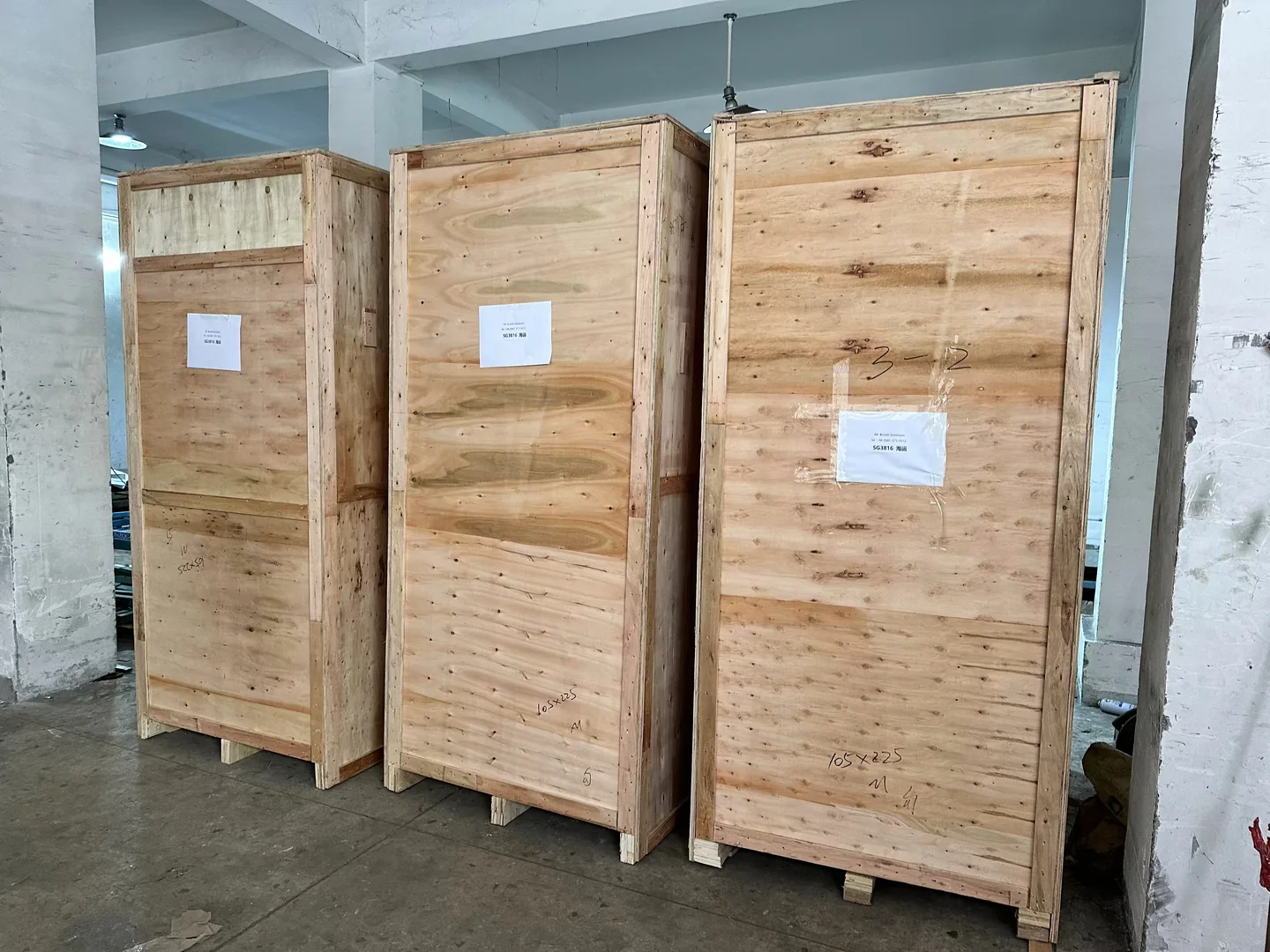
Count the packages against the packing list before components are dispersed. Photograph the package identifier and all accessible sides where condition is in question. Record crushed corners, punctures, moisture marks, broken bands or a shortage without assuming what caused them. A delivery driver, freight forwarder, warehouse team, installer and seller may each control a different part of the route; the acceptance record should identify who observed the condition and when.
Do not use an undamaged outer crate as proof that every internal component is undamaged. Equally, do not treat a packaging mark as proof that the enclosure itself is defective. The next inspection should connect the observed issue to the affected part after unpacking. Keep packaging until the agreed condition review is complete when doing so is practical and consistent with site rules.
Use Photographs to Separate Logistics Checkpoints
A factory-loading photograph and a warehouse-receipt photograph answer different questions. Treat them as separate records rather than a continuous order timeline. Neither image, on its own, proves the crate contents, the complete shipment quantity, delivery to the final destination or customer acceptance.
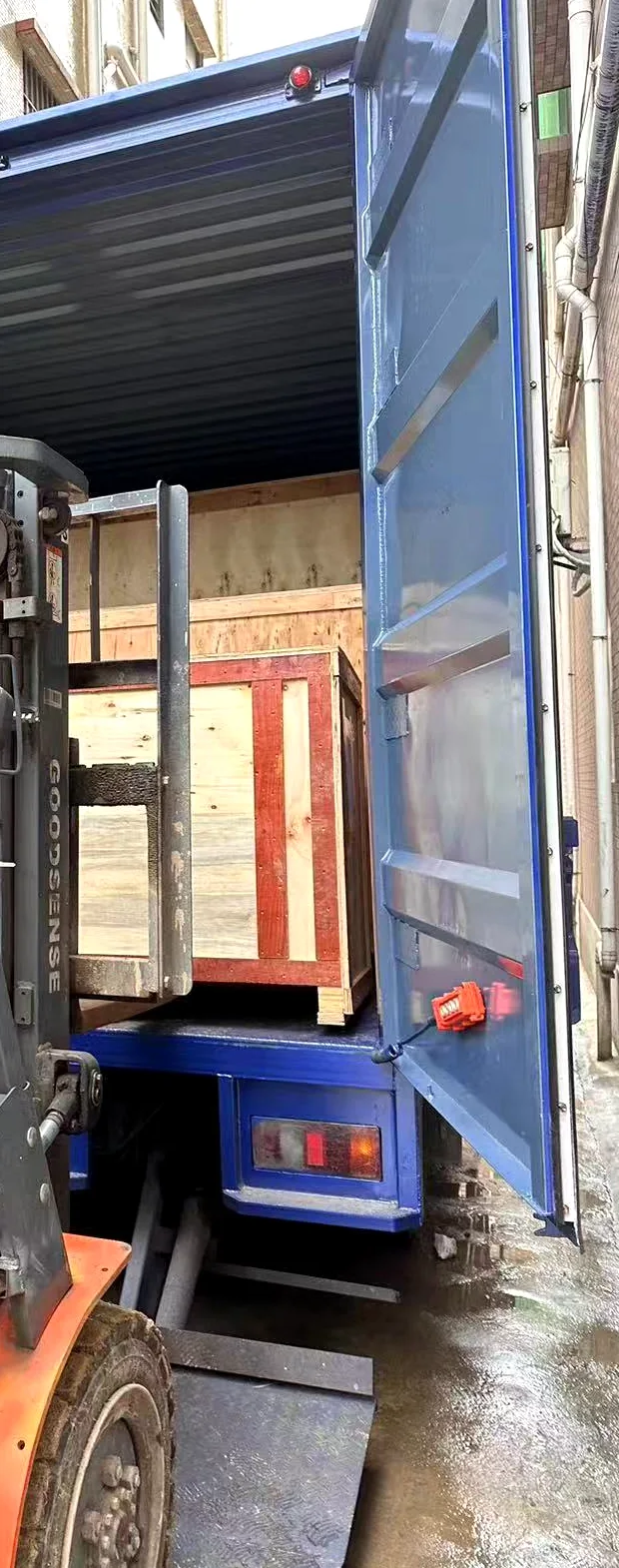
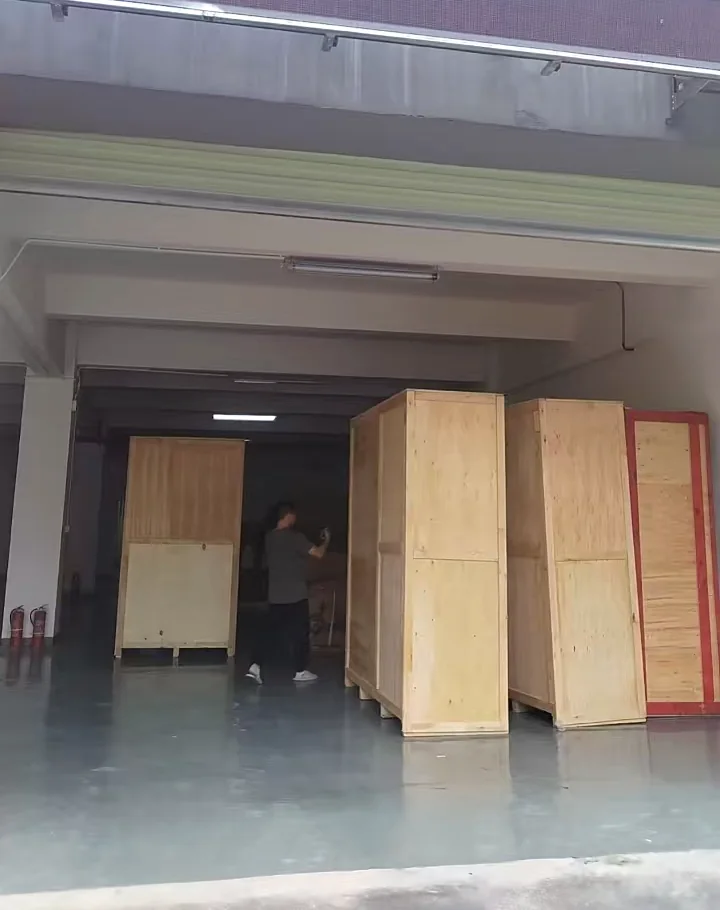
Connect each image to a record the buyer can use. At factory loading, match internal package identifiers to the packing list and dispatch record. At the designated warehouse, record the receiving party, visible package count and condition before storage or onward movement. Keep final-destination delivery, unpacking, installation and customer acceptance as later decisions with their own evidence.
Check the Installed Pod Against the Order, Not the Sales Image
At installation completion, verify the model or custom reference, quantity, finish and location. Compare visible panels, glazing, door orientation and included options with the approved order and drawing revision. Check that panels are aligned, fasteners and trims are present, seals are seated, the door opens and closes normally, and obvious assembly debris has been removed.
These checks overlap with the existing office pod installation checklist, which covers site readiness, assembly and electrical responsibility. Acceptance adds a different question: who can sign off each finished item, what evidence is retained and what happens to an item that does not pass?
A buyer should not infer furniture, monitors, network equipment or specialist access hardware from a photograph. Compare actual delivery with the approved supply list. If local contractors provide power, data or floor interfaces, record their completion separately from the manufacturer’s enclosure scope.
Test Only the Functions the Order Defines
Operate the door from the intended sides and check that handles, latches or approved access devices work in their normal states. Switch included lighting and ventilation through their intended controls. Check included sockets only after the responsible electrical work is complete, and record the electrical version being checked. Treat data outlets, USB interfaces, displays, booking devices and other equipment as separate items unless the order explicitly includes them.
A function check should use an observable pass condition. “Fan runs from its normal control” is clearer than “ventilation acceptable.” “Door opens, closes and latches without visible interference” is clearer than “hardware good.” The check does not create a new performance promise. It also does not prove that every device will work with an outlet or interface.
Do Not Turn a Visual Inspection Into an Acoustic Test
A completed enclosure can be visually inspected, but acoustic performance depends on the metric, test object, method, configuration and conditions. If the purchase requires a report, certificate or site measurement, define that evidence before the order and identify whether it applies to a material, component, complete pod or installed environment. The office pod acoustic ratings guide explains those distinctions.
Do not sign off a 35dB statement, speech privacy or “soundproof” performance from appearance, door operation or a phone app reading alone. Conversely, a missing performance document is not evidence that the enclosure is physically damaged. Record the document or test as its own acceptance item and keep the affected commercial decision explicit.
Use a Punch List That Can Actually Close
A useful punch list names the affected unit, location and order reference; states the observed condition without guessing the cause; attaches evidence; assigns an owner; records the agreed next action and target date; and identifies who can confirm closure. Avoid entries such as “pod not right” or “finish later.” They cannot be compared with an order or closed consistently.
Classify the effect of an open item rather than using severity labels with no agreed meaning.
| Open Item | Decision | Closure Record |
|---|---|---|
| Prevents safe or intended use | Do not place the affected function or unit into use until the responsible party has resolved it and the agreed check passes. | Correction record, new check result and named acceptance by the authorized buyer representative. |
| Affects one function but not the rest of the unit | State whether unaffected parts can be accepted while the named function remains open. Do not let partial acceptance erase the outstanding item. | Scope of partial acceptance, owner, target date and evidence for the repaired or replaced function. |
| Cosmetic or document issue | Record the agreed remedy or document delivery without describing it as a functional failure. | Photograph, revised document or written confirmation linked to the exact item. |
| Disputed requirement | Return to the signed order, approved revision and written clarification. Keep the item open without inventing a requirement after delivery. | Agreed interpretation, commercial resolution and the record that authorizes closure. |
Build a Handover Pack for the Purchased Configuration
The handover pack should let the next operator identify what was bought and what remains their responsibility. Include the order and approved revision references, packing list, applicable assembly or use instructions, included component records, agreed maintenance information, warranty terms and start event, open-item log and final acceptance record. Add contact routes for the responsible supplier or contractor without promising a support service that is not in the agreement.
Warranty is a separate post-acceptance framework. Vendor terms vary in duration, covered parts, exclusions, access requirements and remedies. For example, ROOM’s published limited warranty starts from ship date and excludes specified third-party components and conditions; those terms apply to ROOM products, not MobileX orders. The MobileX guide to office pod warranty and after-sales questions shows what project buyers should define in their own quotation.
Accept Multi-Site and Repeat Orders by Unit and Location
For multiple sites or batches, use the same acceptance fields but keep the unit, package, location and date identifiable. One accepted unit does not prove that another unit arrived complete or that another site was ready. Repeated findings should trigger a review before the next release, while unaffected units can retain their own status.
This is different from deciding whether a pilot is ready for a wider rollout. The pod pilot review guide considers whether the solution should be repeated. Delivery acceptance records whether the particular goods, installation and documents satisfy the agreed purchase reference.
Send a Usable Acceptance Brief With the Inquiry
Product identity: intended model or custom reference, quantity, finish and destination.
Supply boundary: enclosure, furniture, electrical items, data interfaces and third-party equipment that the quotation should separate.
Installation boundary: who unloads, moves, assembles, connects building services, removes packaging and provides site access.
Acceptance stages: who records receipt, who checks the installed enclosure, who verifies included functions and who signs final closure.
Required evidence: approved drawing or order revision, manuals, component records, warranty terms, photographs, and any separately agreed test or certificate.
Defect process: owner, target date, remedy evidence and authority to accept unaffected work or confirm final closure.
For standard office call-space options, start with the MobileX office pod range. For people meeting inside one enclosure, review the meeting booth range. If the project needs a non-standard layout or interface, use the custom pod path and keep the acceptance reference tied to the approved project configuration.
To request a MobileX quotation, send the product reference, quantity, destination, expected supply and installation boundary, and the documents or tests that must be part of acceptance. MobileX can then address the proposed scope without treating delivery, installation, site services and performance evidence as one undefined promise.