Office Pods for Airports: Plan Short Work Sessions Around Passenger Flow
An airport office pod is most useful when it gives one traveller, or a small defined group, a better place for a short call or meeting without separating them from the departure process. It should supplement open work seats, lounges and fixed meeting rooms, not replace every option. Choose the space from the task, the remaining time before boarding, the people and carry-on items involved, and the route back to the gate.
For a brief email or laptop task, an open work counter near visible flight information may be the better solution. Compare a single-person pod when speech is the problem. Compare a meeting booth when two or more people must talk or share a screen. Keep an existing lounge meeting room when the group, luggage, equipment, access needs or time uncertainty cannot be handled by a checked pod layout.
Airport work is a time-bounded passenger task
This guide is about passenger-facing space in an airport or airport lounge, not airline operations rooms, border-control areas, crew facilities or airport staff offices. Those environments have different operational and security requirements.
Airport operators already combine several ways to work. Heathrow tells departing passengers that airport lounges can be used to catch up on work, while also telling them to check flight-information screens regularly and leave enough time to reach the gate. Changi Airport shows dedicated workspaces in current lounge listings. The oneworld lounge at Amsterdam describes distinct zones for working, relaxing and social use and identifies its position near departure gates. These are examples of actual operating choices, not a universal airport standard and not MobileX installations.
The procurement question is therefore not simply whether travellers want privacy. It is whether an enclosure can improve a defined work session without weakening wayfinding, boarding awareness, circulation, staff assistance or the alternatives that already work well.
Match the passenger task to the available space
Scroll horizontally to compare all columns on a narrow screen.
| Passenger task | Useful starting space | What the buyer must plan | When another space is better |
|---|---|---|---|
| Email, form filling or a short laptop task | Open work counter or lounge desk | Power access, a stable surface, a visible route to flight information and room for the traveller’s normal carry-on items. | Use an enclosure only if speech, screen exposure or surrounding disturbance creates a problem that the open position cannot solve. |
| One traveller on a phone or video call | Checked single-person pod, such as an MP1 or MP1+ route | Call duration, laptop or phone position, camera view, headset use, carry-on placement, door operation and how the traveller monitors departure changes. | Use an open lounge seat for a silent task; use a staffed or fixed room when the traveller needs assistance, more equipment or a travel companion inside. |
| Two travellers discussing work or sharing a screen | Checked two-person meeting layout, such as an MP2 route | Two usable positions, the shared device, bags, door and table movement, a clear end time and a route that does not spill waiting users into circulation. | Use an existing meeting room when documents or equipment need more surface area, the session may overrun, or the proposed layout cannot keep bags out of the working and exit path. |
| Colleagues, companions or a remote participant join | Larger checked layout, such as an MP3 route, or an existing lounge meeting room | Count every physical participant, identify who is working and who is waiting, place the screen and carry-on items, and preserve a usable entrance. | Use a fixed meeting room when the group or equipment changes, established access arrangements are needed, or people cannot sit and leave without conflict. |
| Work close to boarding or during an uncertain gate change | Open seat near appropriate flight information | Time to the gate, how updates are received and whether staff can assist without searching an enclosed room. | A pod is a poor choice when the operating plan relies on an announcement being heard through the enclosure or the traveller cannot reliably monitor the departure. |
Seat count is only a starting label. A nominal two-person space is not automatically suitable for two travellers, two cabin bags and a shared laptop. Conversely, one traveller typing for ten minutes may not need a private enclosure at all. Test the actual work and belongings within the proposed arrangement.
Put the pod where travellers can still complete the journey
Location should begin with the passenger route. Mark the relevant security boundary, lounge entrance, flight-information points, gates, toilets, existing work seats and staff positions. Then identify where a traveller can enter and leave the pod without crossing a queue, narrowing a main path or creating a new waiting cluster around the door.
A position beside a busy gate may be convenient but difficult to manage when boarding queues form. A position deep inside a lounge may feel calmer but add walking time and make the room harder to find. A row of pods beside open seating may be easy to supervise, yet the doors and waiting users still need their own space. Compare at least two marked locations on the airport or lounge plan.
Do not assume announcements remain intelligible inside a closed pod. The operator needs a separate, reliable way for users to monitor their flight, such as the airport’s existing screens, approved digital channels or a staffed process. This article does not claim compatibility with an airport flight-information system, public-address system or emergency communication system.
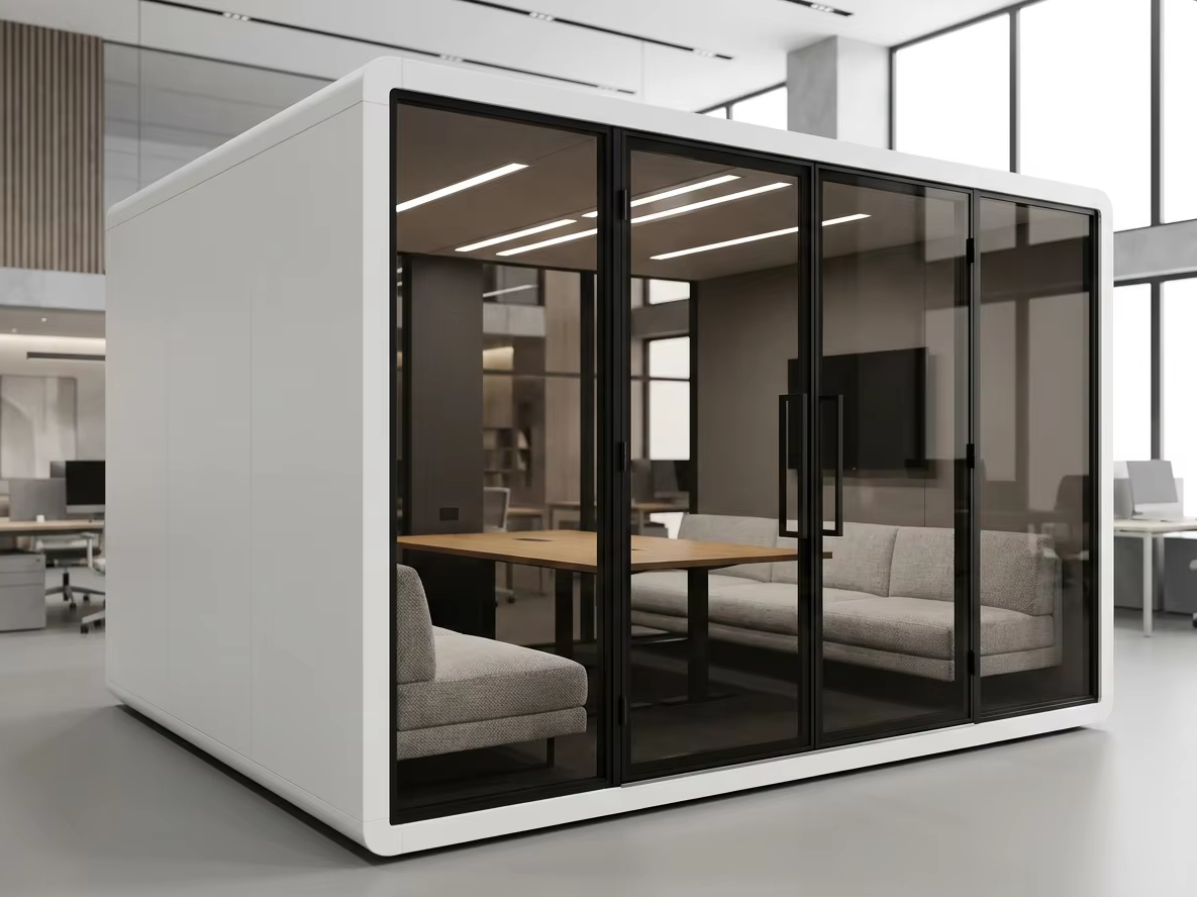
Treat carry-on items and companions as layout inputs
Passenger work rarely involves only the seated body shown in a product image. A roller bag, backpack, coat and charging cable can occupy the floor and work surface. An airline lounge buyer should define a representative set of carry-on items and test where they go without blocking the door, controls or another user’s position.
This is not a baggage-storage service. The operating policy should say whether belongings remain with the traveller and what staff do with unattended items under the airport’s own rules. Do not add hooks, shelves or storage claims to the purchase scope unless they appear in the approved configuration.
A companion changes the decision even when only one person is working. If the companion waits outside, provide a clear nearby waiting position that does not block the door or expose the next user to the active call. If the companion enters, count that person and their belongings in the layout. Families, passengers needing assistance and travellers with mobility equipment may require an established airport arrangement that a standard pod has not been shown to provide.
Decide how travellers find, use and release the space
A pod that is physically available can still fail operationally if a traveller cannot identify it, understand whether it is free or get help before boarding. Use the existing lounge or airport service model rather than inventing a second, disconnected journey.
- Find: use a name and location description that distinguish the pod from gates, rest areas and other lounge zones.
- Start: show the permitted use and a simple way to report a problem without making unsupported promises about privacy or equipment.
- Monitor: make clear how the traveller continues to check flight status and how much travel time remains to the gate.
- Assist: identify which existing staff role can help with access or a failed control without becoming responsible for the traveller’s meeting or device.
- Release: define the end of the session, removal of belongings and the point at which the next person can enter.
A booking system is not always necessary. A first-come space can suit very short sessions if occupancy is obvious and queues do not obstruct circulation. A reserved room may suit a lounge with an existing booking channel, but the booking should not suggest that the airport will hold a flight or guarantee the traveller reaches the gate. The separate booking and handover guide covers the mechanics; this article focuses on the airport passenger journey.
For the ownership and operating decision, compare venue-owned amenities, self-operated paid workspaces and managed privacy-pod networks before buying payment or access equipment.
Preserve the alternatives that already solve the task
An airport buyer should not replace useful open work surfaces simply because an enclosed product is available. Open counters are easier for silent, short tasks and can keep travellers close to flight information. Lounge seating can suit informal work where a call is not required. A fixed meeting room can handle larger groups, changing participants, more equipment or arrangements already assessed by the operator.
Pods add value when a recurring spoken-work task remains unsupported: for example, solo video calls that disrupt an open lounge, or two-person discussions that repeatedly occupy a larger room. Define that unmet task before selecting a model. If the task happens rarely, changing the operating policy or signposting an existing room may be better than buying another enclosure.
This distinction keeps the airport article separate from the hotel office-pod guide. Hotel guests can often return to a room or use a scheduled conference space. Airport passengers have a moving gate deadline, a security-defined route and carry-on items that must move with them. It also differs from the office placement guide, which positions pods around stable employee teams rather than a transient passenger journey.
Use model dimensions as a screening input
For MobileX standard starting points, the internal dimensions are MP1 880 x 920 x 2080 mm, MP1+ 1120 x 1080 x 2080 mm, MP2 1880 x 920 x 2080 mm and MP3 1880 x 1520 x 2080 mm. These figures are separate from external dimensions and are not net doorway dimensions, baggage clearances, furniture working areas, transport clearances or accessibility clearances.
A solo passenger call can start with the MP1 and MP1+ office phone booth buying route. A two-person discussion or checked small group can start with the MP2 and MP3 meeting booth buying route. The product image does not prove which table, seat, display, socket or accessory is included in a quotation.
All four model families support custom sizes subject to project review. Custom support does not mean every requested size, airport interface, security function, access arrangement or acoustic condition is feasible. Use the custom modular pod route when a documented passenger task cannot be served by an appropriate standard starting point.
Illustrative scenario: add calls without hiding passengers from the departure process
Illustrative scenario
A hypothetical airport lounge already has open laptop counters and one fixed meeting room. Staff observe that solo video calls regularly disturb the open work zone, while two-person discussions occur less often. The operator keeps the counters for silent work and the meeting room for larger or changing groups.
The buyer compares two single-person pod layouts near a staffed lounge point but away from the boarding queue. The mock-up includes a laptop, cabin bag and backpack. It checks the door, carry-on placement, camera view and the traveller’s route to existing flight-information screens. A short occupancy rule and visible end time help users leave before boarding. If a companion needs to enter or the bags obstruct the checked layout, staff direct the travellers to the fixed room instead.
This is a planning example, not a MobileX airport installation, passenger study, operating recommendation for every airport or performance result.
Send a passenger-work brief before requesting a quotation
A useful airport or lounge brief should describe the job before asking for a product recommendation:
- Task: silent laptop work, solo calls, two-person discussion or a defined small group.
- People and belongings: normal and occasional participant count, representative carry-on items, companion and assistance scenarios.
- Location: marked terminal or lounge plan, security side, gates, flight-information points, circulation, waiting and staff positions.
- Session: intended duration, how users start and end, how departure changes are monitored and when another room is used.
- Layout: actual device, table and seating arrangement, door movement and any approved storage or accessory.
- Project boundary: airport approvals, local installation, power and data work, operating responsibilities and evidence required for the proposed configuration.
For a single-person route, compare the task with the office phone booth range. For a shared discussion, compare the meeting booth range. If neither standard starting point supports the documented passenger flow, send the marked plan and use case through the custom route. A useful quotation should identify the proposed model or custom layout, included configuration and unresolved site work rather than relying on an airport label.
Choose the smallest intervention that improves the journey
Airport office pods have independent value when they solve a recurring short spoken-work problem while passengers remain able to monitor and complete their journey. They are not a reason to remove open work counters, overfill a lounge, assume bags will fit, or move travellers away from information and support.
Start with the passenger task and route, test real people and representative carry-on items, preserve a fixed-room fallback, and request a configuration-specific quotation. To compare a single-person option, visit the office phone booth range. For shared work, use the meeting booth buying page. For an airport-specific layout that standard options cannot serve, use the custom project route or send MobileX the marked location and task brief.