Office Pods in Coworking Spaces: Plan Booking, Access and Between-User Handover
Choose the operating model before choosing a booking screen or door lock. Walk-in access suits unplanned calls when users can see whether a pod is available. Reservations suit sessions that need a dependable start, particular equipment or more than one participant. A mixed arrangement can serve both, provided the same pod is not promised to a walk-in user and a reservation at the same time.
For office pods in coworking spaces, booking and handover need to work together. A reservation tells someone when they may use a space; it does not establish that the previous user has left, a shared device has been signed out, or a reported fault has been resolved. Decide who confirms each of those conditions, then turn the decision into a supplier brief for the door, power, data and equipment interfaces.
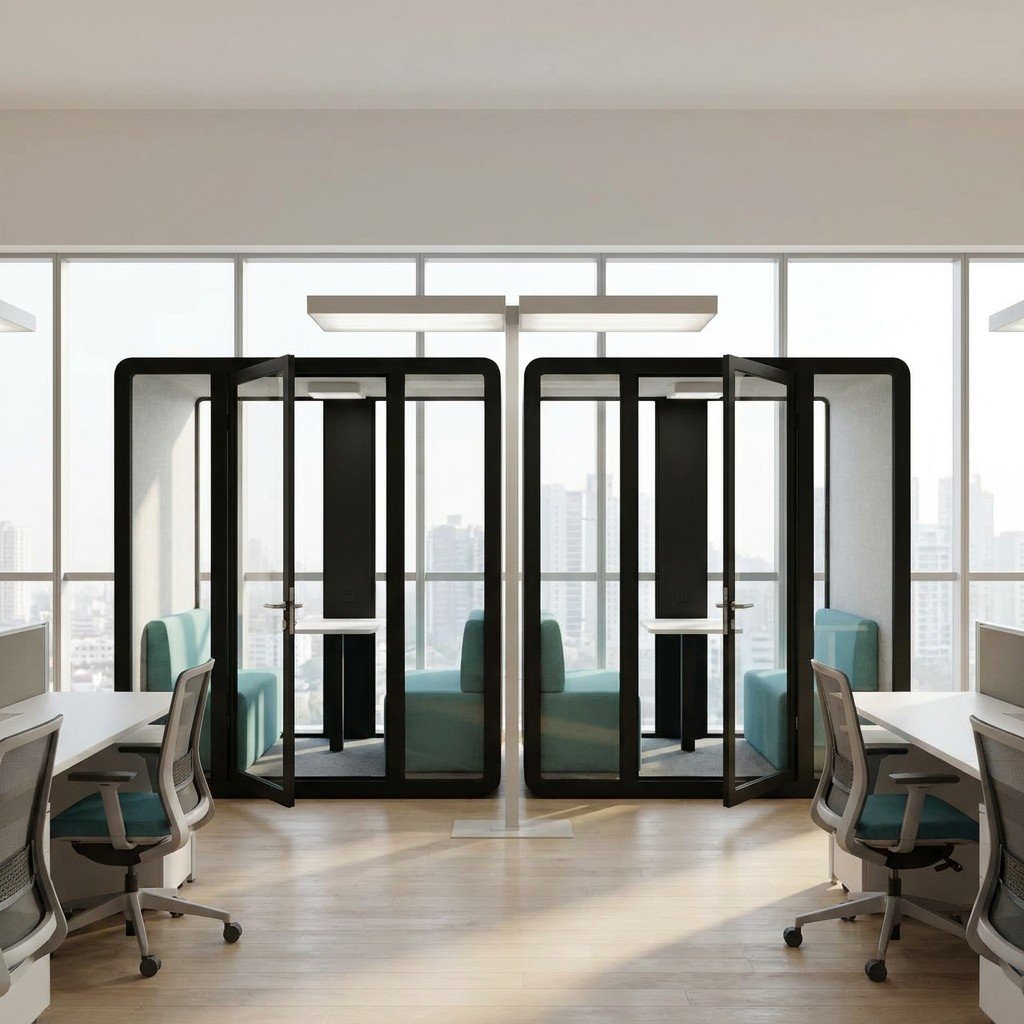
Choose walk-in, reserved or mixed use by the task
Start with the work people need to do, rather than giving every pod the same access rule. A spontaneous phone call, a scheduled interview and an equipment-dependent video session create different demands on an operator.
Scroll horizontally to compare all columns.
| Operating model | When it is useful | Rule to settle before opening | What the buyer should check |
|---|---|---|---|
| Walk-in | Unplanned calls or individual tasks where another suitable space is acceptable | How users see availability, finish their session and report a problem | A legible status method, an accessible help route and a way to remove a faulty pod from use |
| Reserved | Scheduled conversations, group sessions or tasks needing a particular setup | Who may book, how arrival is acknowledged, and who handles overruns or no-shows | How the reservation identifies the correct pod and equipment; who controls access and confirms readiness |
| Mixed | A site needs spontaneous access as well as dependable scheduled sessions | Which pods or time periods belong to each mode, and when walk-in use must end | Consistent status information at the pod and in the booking channel, with someone responsible for conflicts |
Mixed use is easier to explain when the separation is explicit: designated walk-in pods alongside reserved pods, or clearly defined time periods for each. If a single pod changes modes throughout the day, establish who updates the status and deals with an occupied space when the next booking approaches.
This is an operating decision, not a substitute for capacity planning. Use the office pod quantity and layout guide to assess simultaneous demand and the model mix. Here, the question is how people share the available spaces once that mix is chosen.
Define what a reservation actually includes
A booking should identify a usable setup, not just a box on a calendar. State whether it covers an individual call space, a shared meeting space or access to particular equipment. Make clear whether users bring their own laptop and accessories or rely on facility-managed devices.
For scheduled work, settle three points:
- Start and finish: decide whether the reserved period includes setup and returning the space to its ready state. Choose any transition allowance from the actual equipment and cleaning tasks, rather than copying a universal interval.
- Arrival and no-shows: define how arrival is acknowledged, when an unused reservation may be released, and who has authority to do so. A blank calendar entry and an empty-looking pod are not the same evidence.
- Overruns and interruptions: give users a help route and a predictable rule. Staff can offer an alternative space or manage the transition; the next user should not have to negotiate a disputed booking through the glass.
Avoid using visible occupancy as permission to enter. Someone may be connected remotely while temporarily away from the seat. Equally, a reservation that has ended may leave equipment or a fault behind. Treat physical occupancy, booking status and readiness as separate questions, even if one interface eventually presents them together.
Compare manual management with device-assisted access
A staffed or manual arrangement
A reception desk, shared calendar and status sign can be a starting arrangement when staff can reliably resolve conflicts. Specify who updates the sign, releases a no-show reservation and marks a pod unavailable for inspection or cleaning. Also explain what happens when reception is closed.
If keys are used, assign responsibility for issue, return, lost keys and assistance to an occupant. Users need a clear exit and help arrangement; the procedure should not depend on a particular staff member being at a desk.
An equipment-assisted arrangement
A display, reader or electronic lock adds interfaces and support responsibilities. Before selecting it, identify the proposed hardware and software, the party supplying each item, and the person responsible for commissioning the complete arrangement.
Ask the relevant suppliers to review:
- Door material, frame, opening direction, hardware position and any proposed mounting or cable route.
- The required electrical supply and whether the selected devices need network connections, local controllers or an external service.
- How booking permission reaches the access device, and which supplier will demonstrate that connection with the chosen equipment.
- What users and staff should do during a power, network or service interruption, including exit, assistance and recovery.
- Who maintains accounts, replaces a failed device and updates the operating instructions after a configuration change.
Have the site's responsible designer or fire-safety adviser review the proposed access and exit arrangement before approval. As a jurisdiction-specific reference, the UK government's workplace fire-safety guidance addresses clear escape routes and emergency doors that open easily. The applicable site requirements need their own assessment; this reference is not a certification of a pod or lock.
Booking software, electronic locks and third-party integration should be identified as proposed project items, with written supply and compatibility confirmation. They are not assumed to be included with a MobileX pod. For physical provisions such as mounting locations and cable openings, use the custom pod drawing and equipment-interface guide once the actual equipment is known.
Choose a booking panel, a meeting controller, or both
A quotation for a “meeting room tablet” can describe two different purchases. A scheduling display helps someone outside the pod find or reserve a space. A meeting-system controller lets participants operate the selected call system from inside. Decide which action is missing before choosing a screen; buying a booking panel does not by itself provide in-room call control.
For a concrete third-party example, Logitech distinguishes Tap Scheduler from its Tap and Tap IP room controllers. Microsoft’s Teams panels overview places its scheduling devices outside meeting spaces and distinguishes reserving a space from joining a meeting using the equipment inside. These examples explain device roles, not a MobileX equipment package or a promise that every tablet can perform either role.
People bring laptops and only need dependable reservations: a calendar and the existing operating procedure may be sufficient. An outside display becomes useful when users need to see availability or make a booking at the doorway. That requirement alone is not a reason to buy a dedicated in-room controller.
The pod has a facility-managed meeting system: select the means of joining and controlling calls with the AV provider. Then decide separately whether people also need an outside scheduling display. An in-room controller is not automatically a substitute for availability information that users can consult without opening an occupied pod.
Show the two operating positions on the layout. A person checking availability should be able to use the proposed outside interface without entering; a participant should be able to reach the proposed call controls from the intended meeting position. Keep those positions clear of the door’s movement and allow the specified mounting and cable access. A device supplier may offer combined functions, but assess the actual supported functions and where people must stand or sit to use them, rather than assuming one screen removes both space requirements.
Compare a booking-only offer, a call-control-only offer and a combined proposal against the tasks you actually need. Separate the devices and mounting provisions from the software, account setup and installation needed to make each function work. For example, adding a corridor display to a laptop-only pod and adding a complete room-call system are different purchases even if both proposals include a touchscreen. This is a planning example, not an installed MobileX project.
MobileX can review the agreed physical provisions for a proposed configuration; the selected equipment provider or integrator must establish the device functions and compatibility. Keep the final mounting, cable route and supply boundary in the project drawing and quotation. Buyers can begin with the missing user action and their existing meeting setup, without having chosen every device in advance.
Compare the pod purchase with the software commitment
Choose a separately managed pod when your existing calendar and operating team can provide dependable access. Consider a connected package when it removes a specific recurring problem, such as unused reservations remaining unavailable, or when several locations need consistent availability and usage information. The useful comparison is not simply a cheaper pod against a more expensive smart pod: it is the complete working arrangement, including the services needed after the introductory period.
Decide which package solves the actual shortage
A pod with an existing calendar or staffed process is a reasonable starting point for a small, visible group of spaces. It keeps the enclosure purchase separate from a particular booking platform. It still has operating costs: someone resolves conflicts, removes faulty spaces from use and maintains the calendar. A low hardware bill is not a complete comparison if that work is omitted.
A pod with separately selected booking equipment suits an organisation that wants its established room-management system to cover pods as well as meeting rooms. Its advantage is a common user workflow; its trade-off is responsibility for making the selected devices, accounts and physical provisions work together. Buying a familiar-looking screen does not establish software entitlement. For example, Microsoft’s published Teams Rooms licensing guidance distinguishes room-system licences from panel support: its Basic room licence does not license Teams Panels. That is a third-party licensing example, not a MobileX compatibility claim.
A manufacturer’s connected pod and service package can be useful where facilities staff need supported occupancy features or consistent information across a fleet. Compare what is included with the physical product, what requires an ongoing plan and what is separately supplied. Framery, for example, publishes different smart-office plans, including a data-export subscription. The existence of a sensor or an app in a demonstration does not establish which functions belong in your purchased package.
Consider a planning example: two pods are repeatedly empty while their calendars show reservations. Better check-in and release rules may recover usable time without another enclosure. If both pods are genuinely occupied by independent calls throughout the same busy interval, a booking display cannot create a third private space. Resolve that difference before paying either for more pods or for software.
Pay for information only when it changes an action
A doorway availability indicator, a calendar record and measured occupancy answer different questions. Choose a status display to help people find a space; choose occupancy reporting when someone will use the evidence to change allocation, operating rules or capacity. Do not buy a larger analytics package merely because it produces a dashboard.
For example, a facilities team comparing several locations may need the same reporting period and an export it can actually analyse. A small office with one readily observed pod may learn enough from a short usage log. Neither a reservation count nor an occupancy percentage identifies whether users had adequate speech privacy, a suitable desk or an unresolved fault. Those outcomes still need their own observations.
Compare the first year and the continuing arrangement
Put both offers on the same period and usable-function basis. Separate the enclosure, furniture and physical provisions from displays or sensors, installation and commissioning, service licences, support and operator administration. Then show any introductory allowance separately from the renewal charge. Do not count an entitlement already included in an existing contract twice, or assume a demonstration account will remain available after handover.
Compare the functions available during the offer period, after renewal and if the optional service is not renewed. The important distinction is whether you lose reporting, reservations, device management or another function; it is not enough for the quote to say that the pod remains usable. A fallback calendar may be acceptable for one workplace and inadequate for another. Keep safe exit and the agreed access arrangement separate from an analytics subscription decision.
An offer with a lower initial price is not the lower-cost choice if the required functions need extra devices, annual services and a second commissioning visit. Conversely, a connected premium is difficult to justify when its extra functions have no owner or operational use. Take the preferred workflow and the comparison period into the existing supplier brief below. MobileX’s agreed physical configuration, third-party digital services and the site’s ongoing operation remain separate supply responsibilities.
Make the between-user handover observable
Define a ready state that staff and users can understand: personal items removed, the next session's equipment available, required cleaning completed, and no unresolved issue that makes the pod unavailable. The operator should decide how that state is confirmed, rather than treating the end of a calendar slot as automatic clearance.
What the departing user does
Ask users to take their belongings, remove personal cables and return any shared accessories to their designated place. They should disconnect their devices and finish any account sessions used on facility equipment. Leaving a video call is a different action from signing out of an account.
For Microsoft accounts used through a browser on a public computer, Microsoft's shared-computer guidance recommends private browsing, signing out and closing the browser windows afterwards. Apply the relevant instructions for the actual software; one application's sign-out action is not evidence that every other account or device is clear.
Give users a simple way to report missing equipment, a spill, a damaged part or an access problem. They should not have to diagnose the fault or dismantle anything to make a report.
What the facility team owns
Assign cleaning and replenishment separately from user tidying. Follow the surface and equipment suppliers' instructions when selecting cleaning products and methods, including for screens, upholstery and electronic hardware. Set the tasks and frequency for the site's use, with a responsible person and a way to flag incomplete work.
The operator also needs authority to hold a pod out of service, arrange appropriate inspection and confirm when it can be used again. A broken accessory may require a different response from a door that does not operate as intended. Use the after-sales support guide for identifying parts, symptoms and support responsibilities, rather than turning an occupant into a repair technician.
Keep public status information proportionate. A pod identifier, its availability and a help contact can explain how to use it without displaying a member's name, meeting topic or screen content. Decide separately what information staff genuinely need to resolve reservations and faults.
Test the rules with a busy-period conflict
Consider a hypothetical site with one walk-in pod and one reserved pod. A member is using the walk-in space for an unplanned call. The reserved pod's previous user has left, but a shared display remains signed in and cleaning is still pending. The next reservation is about to start.
The reserved pod is empty, but it is not yet ready. The operator should keep its status accurate, arrange the outstanding handover tasks and tell the arriving user what alternative is available. Moving the problem to the occupied walk-in pod does not create a dependable start for either user.
Now suppose the booked member does not arrive. The release decision should follow the site's agreed no-show rule, with one person or system responsible for changing availability. A passer-by should not infer that the reservation is cancelled simply because the pod looks empty.
Use this scenario to test your procedure before ordering equipment. Can staff identify the affected pod, contact the responsible person, mark it unavailable and offer a next step? Can they do the same during an access-system outage? These are useful demonstrations to request from the parties supplying and operating the arrangement, not claims about a system already installed by MobileX.
Turn the operating decision into a supplier brief
Describe the workflow before listing hardware. A requirement such as "members reserve a private space without visiting reception" leaves several questions open: who verifies the booking, how the door operates, how visitors get help, and who supports each component.
Then separate the physical pod specification from third-party equipment and site work. Ask the pod supplier to confirm the proposed door and frame arrangement, furniture, power and data provisions, and any mounting or opening requirements. Ask the equipment supplier or integrator to confirm device interfaces and commissioning. Ask the operator to own user rules, account administration and ongoing handover tasks.
For each item, record whether it is included in the pod quotation, an option, supplied by another party or still unresolved. This makes the corporate and coworking pod configuration discussion more useful than requesting a generic "smart pod" package.
Copyable operating brief
Use the following as a buyer's working template, not as a claim that a particular system or service is included:
- Site and operating hours: [location; staffed and unstaffed periods]
- Tasks and users: [calls, meetings or other work; people per session; visitor access]
- Proposed operating mode: [walk-in, reserved or mixed; which pods or time periods]
- Booking and conflict owner: [arrival method; no-show and overrun decisions; help contact]
- Access proposal: [manual arrangement or named devices; exit and outage review owner]
- Equipment and interfaces: [user-supplied or shared equipment; model details; mounting, power and data needs]
- Ready-state responsibilities: [belongings, account sign-out, cleaning, accessories and fault reporting]
- Supply boundaries: [pod supplier; equipment supplier; site installer; operator; unresolved items]
Send the intended session types, people per session, site layout and proposed access equipment with your MobileX POD project enquiry. Ask for a quotation that separates the agreed pod configuration from third-party systems and site responsibilities. That gives both the buyer and suppliers a concrete basis for deciding what is ready to specify and what still needs review.