Office Pods or Noise-Cancelling Headsets? Choose What the Call Needs
Choose a noise-cancelling headset when the main problem belongs to one person’s listening or call audio. Choose an office pod when the workplace also needs a separate place for speech, visual focus or a shared conversation. The two purchases can complement each other, but they do not solve the same boundary.
A headset works at the user’s ears and microphone. An enclosed pod changes where the person and their speech are located. Before comparing prices, identify who is disturbed, who needs to hear clearly, who must not overhear the conversation, and whether the solution is assigned to one person or shared by many.
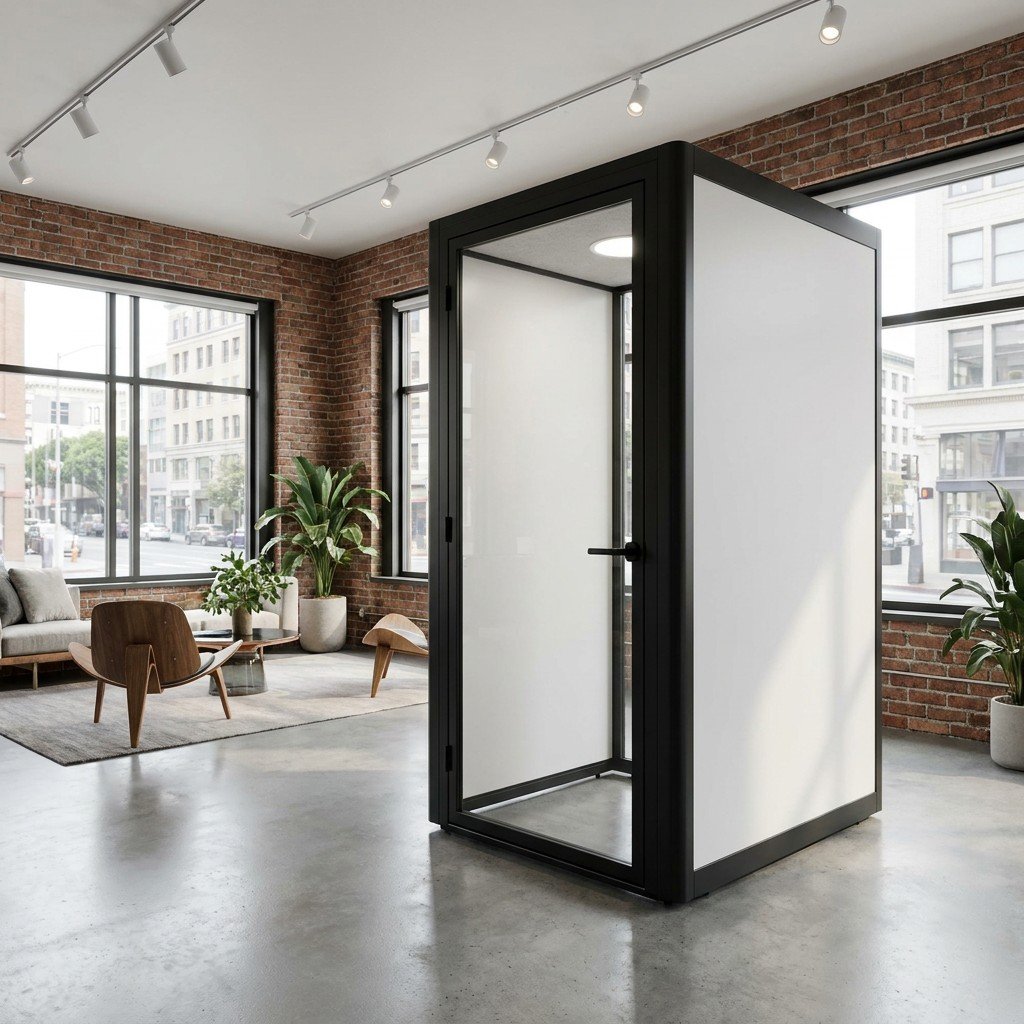
Separate three different noise problems
The phrase noise cancellation can hide several decisions. Active or passive noise control may change what the headset wearer hears. Microphone processing may change what the remote participant receives. Neither fact alone establishes what nearby colleagues hear from the person speaking in the room.
Microsoft’s current Teams device guidance treats premium microphones for open offices as a device certification category for clear call audio in defined noisy conditions. Its product listings separately describe listening-side active noise cancellation and noise-cancelling microphones. That is useful headset evidence; it is not evidence that a conversation has been contained inside the workplace.
An office pod introduces an enclosure and a door, but the product name does not guarantee complete silence or confidential speech. Use applicable whole-pod evidence and the proposed configuration. The office pod acoustic ratings guide explains how to distinguish a material, component, complete enclosure and installed location.
Scroll horizontally to compare all columns on a narrow screen.
| Question | Headset can address | Office pod can address | Evidence still needed |
|---|---|---|---|
| Can the user hear the call over nearby noise? | Listening isolation, active noise cancellation and device audio. | A different local acoustic environment around the user. | Headset specification and a representative call; pod evidence for the offered configuration. |
| Can the remote participant hear the user clearly? | Microphone pickup, processing and call controls. | Reduced exposure of the microphone to activity outside the enclosure, depending on the setup. | The actual microphone, software, network and operating conditions. |
| Will the caller’s voice disturb nearby colleagues? | Not solved merely because the caller hears less noise or the remote signal is cleaner. | A physical boundary intended to separate the speaking activity from the open area. | Relevant enclosure evidence and the proposed door, ventilation and installation configuration. |
| Does the user need visual separation? | Does not create a separate room or hide screens and gestures. | Can provide an enclosed place, subject to glazing, orientation and layout. | Sightlines, screen position, door arrangement and the actual workplace plan. |
| Can two people share the same conversation? | Personal call equipment for each user. | A meeting booth layout can put participants in one shared space. | Capacity, furniture, device and working-layout information for the proposed model. |
Choose headsets first when the problem is personal call audio
A headset-first purchase can be sensible when people remain at their own workstations, calls are short or occasional, and the principal problem is hearing and being heard. It can also fit distributed teams whose members move between locations and need an assigned device that travels with them.
Compare the actual devices, not the words premium or noise cancelling. Record whether a feature acts on the listener, the microphone signal or both. Check compatibility with the calling platform and computer, connection density, battery or cable needs, mute controls, firmware management, replacement parts and cleaning between users. A certified headset category applies to the listed device and program; it is not a privacy certificate for the surrounding office.
Test a representative call from the intended workstation. Ask the user whether speech is intelligible without excessive listening level. Ask a remote participant what they receive while normal office activity continues. Then stand in the nearby work area and observe whether the caller’s own voice remains a distraction. Those are three separate observations.
A good headset result can remove the need for an enclosure for that task. It does not make an open workstation private, and it does not stop a person from speaking loudly, displaying sensitive material or interrupting colleagues around them.
For quiet reading or writing, try suitable headphones at the existing desk first, and check whether an existing room is available when calls occur. Hypothetical office day A: a report writer rarely speaks and can use an available room for occasional sensitive calls, so headphones may be enough. Hypothetical office day B: several client calls overlap while the only room is occupied, so compare separate call spaces against concurrent demand and available locations.
Choose an office pod when the activity needs a place of its own
An office pod becomes the relevant comparison when the buyer needs to move spoken activity away from desks, offer a visible place for an undisturbed call, or support a shared meeting. Steelcase’s current office privacy guidance distinguishes open, shielded and enclosed settings and places pods or enclaves near workstations for calls. It also treats meeting booths as a separate setting for collaborative conversations. This is workplace-planning guidance, not a MobileX performance claim.
The enclosure must still fit the work. For an individual call, check the intended posture, work surface, screen and camera position. For two or more people, check whether they share one conversation and can use the proposed table or display together. Use the quantity and capacity-mix guide when simultaneous demand, rather than device choice, determines how many independent spaces are required.
Do not count every employee as one required pod. Count the concurrent activities that need separation, then consider where a pod can be placed, how people reach it and how it will be shared. Conversely, do not count one headset per employee and assume the open office has gained private rooms.
A public buyer discussion asking why a workplace would buy a batch of pods instead of relying on noise-cancelling headphones illustrates this exact decision. One discussion is not demand data, but it exposes the practical comparison: personal listening equipment and a shared enclosed resource should be budgeted against different problems.
Use both when call equipment and spatial separation matter
Many projects should not force an either-or choice. A headset can remain useful inside a pod for microphone position, listening level, mute controls or platform compatibility. The pod can provide the separate work setting. Evaluate each layer for its own function.
For video calls, test the complete chain: room, fan setting, microphone, loudspeaker or headset, camera, software and network. A call that sounds clear to the remote participant does not by itself prove acoustic isolation. A laboratory pod result does not prove that the selected headset, microphone or conferencing system performs well.
If the pod is shared, decide whether headsets are personally assigned or shared equipment. Personal devices shift charging, storage and compatibility to each user. Shared devices need a clear location, cleaning approach and responsibility for reporting faults. This is an operating choice, not evidence that a particular headset or accessory is included with a MobileX pod.
Compare budgets at the same level
Do not compare the purchase price of one headset with the product price of one pod and call the cheaper line the better solution. Build two complete scopes around the same work pattern. A headset scope may include devices for the relevant users, replacement units, charging, software or management needs and the remaining need for private rooms. A pod scope may include the enclosure, selected configuration, freight, installation responsibilities, electrical interfaces and any call equipment.
Then test the operational consequences. A personally assigned headset is available wherever its user works, but it remains a personal device. A pod is a shared workplace resource that may serve many people, but only one independent session can occupy a single-person enclosure at a time. A meeting booth provides shared seats, not multiple unrelated private calls.
Scroll horizontally to compare all columns on a narrow screen.
| Purchase condition | Headset-led route | Pod-led route | Combined route |
|---|---|---|---|
| Primary decision | Improve personal listening and call pickup. | Create a separate place for a call or meeting. | Support call audio inside a separate setting. |
| Quantity basis | Assigned users or pooled devices. | Peak simultaneous separated activities. | Both device users and concurrent spaces. |
| Trial | Representative call at the workstation. | Representative task in the proposed layout and location. | Complete call using the intended device inside the enclosure. |
| Main unresolved risk | Nearby people may still hear and see the caller. | Call equipment and layout may not suit the task. | More interfaces and operating responsibilities to define. |
| Useful buying path | IT or workplace device procurement. | Office phone booth or meeting booth selection. | Coordinated workplace, IT and facilities brief. |
Run one trial with four observers
Use a non-confidential sample call and the intended equipment. The caller checks listening and working position. A remote participant reports what arrives through the call. A nearby colleague reports disruption in the open area. The workplace or facilities representative checks location, access and how the resource would be shared.
Repeat the same short task in each option. Keep the speaking level and office activity reasonably comparable. Record observable differences rather than turning the exercise into an invented decibel rating. If confidential speech or formal acceptance is required, agree suitable evidence and competent assessment separately.
A useful decision statement is specific: “the headset makes the remote call clear, but nearby desks still hear the caller,” or “the enclosure separates the call, but the proposed work surface does not support the laptop setup.” Either result identifies the next purchasing action.
Take the decision to the right MobileX route
For an individual call-space requirement, compare the MobileX MP1 and MP1+ office pod options. For two-person or four-person shared conversations, use the MP2 and MP3 meeting booth route. These links identify product starting points; they do not say that a headset, display, chair or other call equipment is included.
Use the space-type guide when you still need to choose between a phone booth and meeting booth. Use the four-model comparison after the required activity is clear. A custom pod discussion begins only when the required layout cannot be served by an appropriate standard starting point.
For a focused enquiry, send the tasks, peak simultaneous calls, number of people sharing one conversation, proposed location, intended devices and any visual or speech-privacy requirement. State whether headsets are already available and what they fail to solve. Ask MobileX to compare a suitable office pod or meeting booth route against that brief.