Soundproof Gaming Pods: Choose Space for Your Whole Setup
Buy an enclosed gaming space when unwanted sound is a recurring problem and the proposed enclosure can accommodate your actual workstation while operating normally. If the main problem is distracting movement or screen glare, a better-positioned desk or visual enclosure may be enough. If a separate room already gives you the separation, desk space and comfortable operating environment you need, keeping that room can be the better purchase decision.
A search for a soundproof gaming pod can lead to very different products: a fabric tent around a desk, a compact phone-style booth, or a larger acoustic room. They are not interchangeable. Choose the form first, then decide whether your existing desk, chair, screens and computer will remain together or need a different arrangement.
Separate visual enclosure from sound isolation
A desk tent or screen can hide household movement and change the light around a display without creating a tested sound-isolating room. For example, Bauhutte describes its desk tent around visual separation and adjustable openings for ventilation and light. That is useful product information for a buyer seeking an enclosed view; it is not evidence of a particular reduction in sound reaching another person.
Headphones remove game playback from the room loudspeakers, but your voice still enters the room. Microphone noise suppression changes what other players receive, not the physical sound reaching someone beside you. Conversely, hearing less through your own headphones does not establish that people outside hear less of you. Keep those problems separate before paying for an enclosure.
| What is not working? | First option to compare | When an acoustic enclosure earns consideration | What not to buy by assumption |
|---|---|---|---|
| Movement or light distracts you, but sound is not disturbing anyone. | Reposition the desk, manage the light or compare a visual screen or desk tent. | There is also a separate sound problem that the visual treatment cannot address. | A heavier acoustic shell solely for a darker or more enclosed view. |
| Game audio from speakers is disturbing other people. | A suitable headset and a workable listening setup. | Spoken chat or another remaining sound source still needs physical separation. | An enclosure before checking whether speaker playback is the main issue. |
| Regular voice chat has no suitable separate location. | An available room, compared with an enclosed workspace in the shared room. | The location, furnished layout and representative speech can be assessed together. | A guarantee that a general office rating makes excited speech inaudible. |
| A wide desk, reclining chair, several screens or a simulator must stay together. | The existing room or a larger, planned room arrangement. | The complete working envelope fits, not just the equipment when stored. | A single-person booth based only on its nominal occupancy. |
Keep the whole workstation in the purchasing decision
Measure the arrangement you actually use: screen width and support depth, the keyboard and mouse area, the chair with its arms, and the position needed to sit down and stand up. A controller-based setup can use the desk differently from a keyboard-and-mouse setup. A racing seat and pedals are a different space requirement again. The number of players does not describe any of these envelopes.
Mark where the chair moves during normal use, where cables connect, and how you reach the computer for maintenance. A large chair may fit while upright but obstruct the door when moved back. A monitor arm may reduce stand space on the desk while needing room behind the screen. Neither a larger screen nor a larger pod is automatically the right upgrade: keep the features that change your actual use.
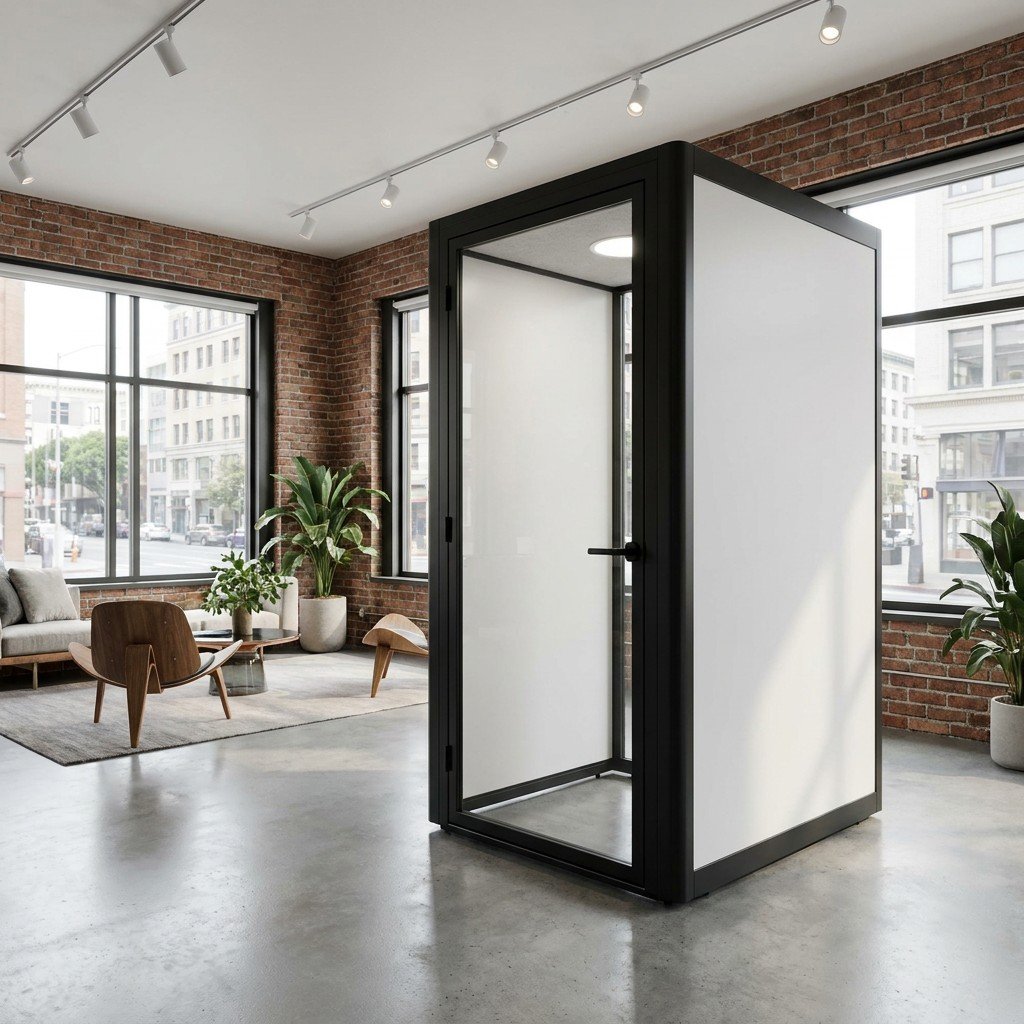
Use compact office models to screen the layout, not to assume it fits
The published MobileX MP1 internal dimension sequence is 880 x 920 x 2080 mm; MP1+ is 1120 x 1080 x 2080 mm. The published packages include a desk and a seat, but that does not establish the dimensions of your preferred gaming furniture or compatibility with a monitor arm. Read the proposed drawing for the orientation, door opening and supplied furniture.
Illustrative fit check: a buyer wants to retain a 1200 mm-wide desk, aligned with an interior wall. That desk width exceeds both published horizontal internal dimensions of MP1+. It therefore cannot simply be carried into that standard arrangement and used as planned. Compare a smaller verified workstation, a larger project layout, or keeping the existing room. Do not treat a diagonal storage fit as an acceptable working layout.
If a laptop or compact setup is sufficient, the MP1+ product page is a starting point for a furnished-layout enquiry. It is not a preconfigured gaming recommendation. A supplied desk and seat may avoid duplicate purchases if they suit the task; replacing them only makes sense when the replacement solves an identified fit or use problem.
Decide where the computer belongs
Keep the tower inside when its access, airflow and noise are acceptable in the proposed occupied arrangement. This keeps routine controls and connections close, but uses interior space and places the computer’s operating heat and fan noise beside the player. Intel’s gaming-PC guidance treats case dimensions and cooling as functional buying considerations. Do not tuck the tower into a remaining gap without checking its actual intake and exhaust arrangement.
Compare an outside tower when preserving interior floor space or moving a noisy computer away from the player would help. This does not remove the equipment from the project: it needs an appropriate external position, access and a verified connection path to the display and controls. It also remains a sound and heat source in that surrounding location. Cable length, connector shape and the selected display or input requirements belong in the equipment review; an ordinary socket does not prove compatibility.
Price the connecting hardware and an agreed enclosure cable route before choosing this arrangement. Do not trap leads in the door or improvise holes in panels. A wireless connection is not a universal substitute for a checked physical route, and an outside tower is not automatically the cheaper complete solution.
Pod ventilation and computer cooling do different jobs. A fan that exchanges pod air is not necessarily air conditioning, and a functioning PC cooling system does not establish a comfortable occupied pod. Evaluate the proposed space with the computer running a representative game, the door in its intended position and ventilation operating normally. A quiet, idle computer in an open-door showroom is not the same condition.
Spend on the problem you need to change
Pay for extra usable room when it preserves the required desk, chair movement, equipment access or entrance. Do not pay for extra nominal seats when a checked one-person layout already works. Choose a simpler visual arrangement if sightlines are the only issue; choose an acoustic enclosure only when physical separation has a defined purpose.
For sound, identify who is affected and where they are. Normal conversation, excited voice chat, loudspeakers and physical controls are different operating conditions. An office-speech result does not establish the outcome for a loud game session, a subwoofer or vibration from pedals. MobileX reports factory-tested noise reduction of up to 35 dB for MP1, MP1+, MP2 and MP3. That remains a factory result within its stated scope, not a guaranteed gaming or neighbouring-room result.
If the concern is someone resting in another room or apartment, use the home-pod guide’s receiving-position comparison. For this purchase, include the actual game equipment and realistic voice behaviour in the demonstration. Agree what can be assessed at the intended receiving position; do not substitute a claim of complete silence for missing evidence.
Compare the cost of a usable setup, not just a shell
Give competing suppliers the same retained-equipment list. Then separate the price of the enclosure and its included furniture from the changes needed to make your workstation usable. A lower shell price can lose its advantage if it forces an unnecessary desk, chair or display replacement.
- Space and furniture: the offered enclosure, included desk and seat, any agreed replacement furniture, and usable access around them.
- Equipment arrangement: retained or new screens, supports, tower position, connecting hardware and explicitly approved mounting or cable provisions.
- Operating environment: the quoted pod ventilation and any separately scoped room cooling or electrical work. Keep supplier items and local work distinct.
- Getting it usable: freight, import charges where applicable, final delivery, unloading, movement to the room, assembly, site connections and the agreed operating demonstration.
Compare that total with retaining the existing room, including only changes actually needed there. Do not replace already suitable equipment merely to make two quotes look alike. Ask each offer to identify the equipment you keep, the new supply items and the exclusions so the difference is visible without an invented universal gaming-package price.
Choose the next step from the layout
If a headset and the current desk resolve the disturbance, keep that arrangement. If an available room supports the full setup and gives suitable separation, it can remain the best option. If an enclosure is still justified, shortlist it around the actual seated plan and operating conditions, then compare the complete offered scope.
For a layout that does not fit a standard proposal, discuss a project-specific pod configuration. Send the equipment dimensions, chair movement, proposed room position, intended operating pattern and sound problem with your project enquiry. MobileX can review an enclosure and agreed furnishings or interfaces; a request does not establish a validated gaming package, PC compatibility or a guaranteed household noise outcome.