Office Pods for Call Centres: Shared Booths or Dedicated Agent Spaces?
Use a shared office phone booth for intermittent calls when an agent can leave the main desk with only the equipment needed for that session. Evaluate a dedicated enclosed workstation only when the same person must talk, use screens, enter information and complete after-call work in one place for sustained periods. Keep open workstations or an existing team room where rapid supervisor support, shared awareness or continuous workstation use matters more than enclosure.
The purchasing question is therefore not simply how many calls a team handles. It is which tasks must stay together, which calls overlap, how often users move, and whether the proposed enclosure supports the real workstation and operating routine. A catalog seat count cannot answer those questions.
Start with the work pattern, not the enclosure
A call-heavy team may answer telephone and electronic requests, provide support, resolve complaints and update customer records. The Canadian Centre for Occupational Health and Safety describes those tasks and also identifies long sitting, repetitive work, small workspaces, lighting, indoor air quality, temperature, background noise and extensive talking as issues to consider. Its guidance supports assessing the complete work arrangement; it is not a MobileX product test or a promise that an enclosure resolves those risks.
Write one line for each recurring workflow before selecting a pod: where the person starts, what equipment travels with them, whether information must remain on screen, when a supervisor joins, what happens after the call, and how the space is handed to the next user. This separates a short call that can move into a shared booth from a continuous agent role that needs a complete workstation.
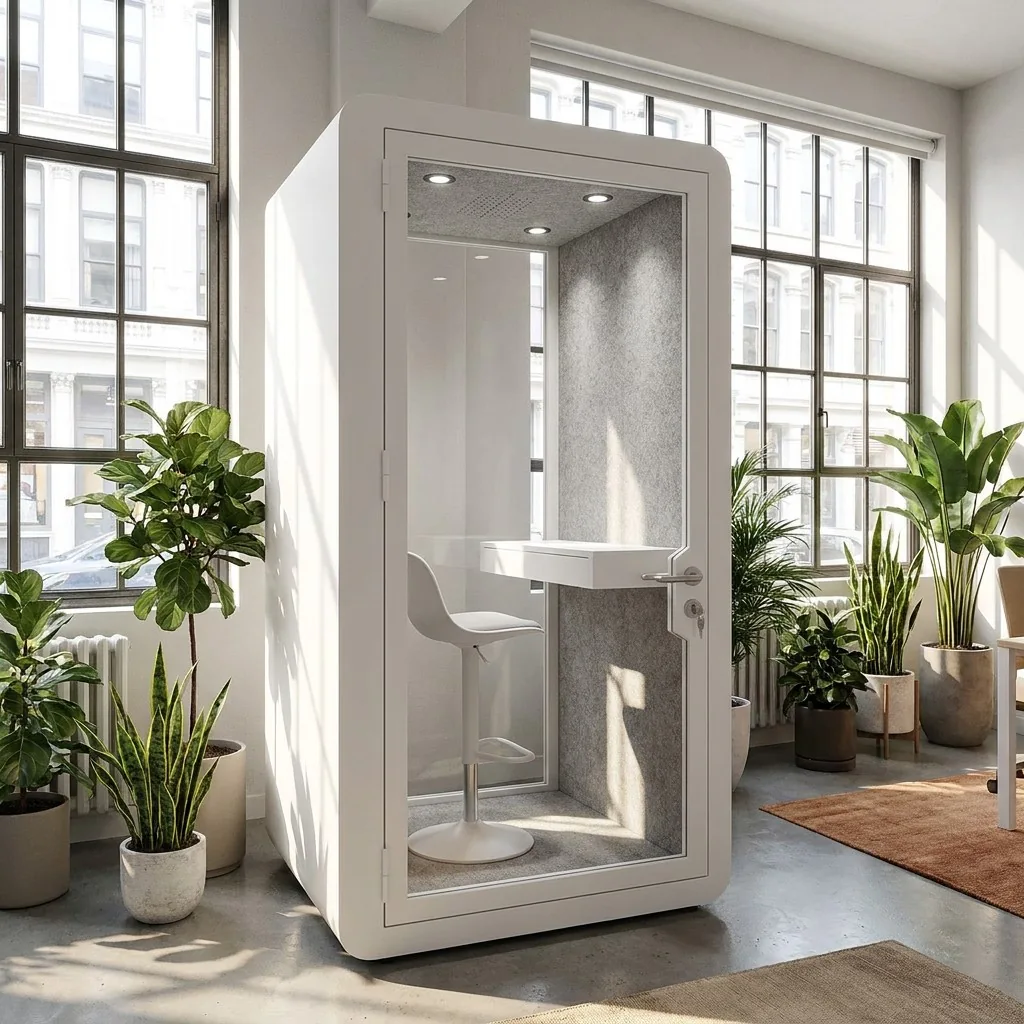
Match each call workflow to a space
Compare call-heavy workflows with the space each one requires.
| Work pattern | Useful starting point | Why it may fit | What can rule it out |
|---|---|---|---|
| Occasional private call from a normal desk | Shared single-person office phone booth | The user moves for one session while the main desk remains the base for other work. | The call depends on several fixed screens, files or equipment that cannot move safely or efficiently. |
| Back-to-back calls with screen work and record updates | Dedicated enclosed workstation, existing private room or suitable open workstation | The person can keep the complete call-and-data task together. | The proposed enclosure cannot accommodate the assessed furniture, equipment, work conditions or operating routine. |
| Live supervisor assistance and frequent team coordination | Open team area, nearby support position or a deliberately connected arrangement | Fast visual and verbal access to colleagues can be more important than individual enclosure. | The conversation itself requires a more controlled setting, or nearby work is repeatedly disrupted. |
| Coaching, escalation or a two-person review | Meeting booth or existing meeting room | Both people share one conversation and may need to see the same screen or notes. | Two unrelated calls occur at the same time; one shared room cannot provide two independent spaces. |
| Short overflow during predictable peaks | A limited pool of shared booths after a concurrency check | The purchase targets a known shortage without rebuilding every workstation. | Peak calls overlap more often than assumed, users cannot reach the booths, or handover time removes expected availability. |
A shared booth is not automatically more efficient because several people can use it across a day. A dedicated enclosure is not automatically better because one user controls it. Compare the work completed, the movement required and the remaining unmet demand. The office-pod quantity guide handles simultaneous calls and meetings; this article decides what kind of space each call workflow actually needs.
Treat a dedicated agent pod as a workstation decision
When a person will use an enclosure as the regular workstation, assess the whole setup rather than a photograph. The UK Health and Safety Executive advises evaluating the equipment, furniture, work conditions, job and user requirements when display-screen work is part of normal work. It also calls for reassessment when a new workstation is set up or the way it is used changes. Applicable duties vary by location, but the method is useful for procurement: evaluate the actual configuration and task, not the shell alone.
Place the selected monitor arrangement, keyboard, pointing device, headset, documents and other necessary equipment on the proposed layout. Identify what can be adjusted, where cables travel, how the door is used and which items belong to the buyer. Use the furniture working-envelope guide for that drawing review and the device-connection guide for power, charging, data and display responsibilities.
Do not infer long-session suitability from the number of seats, the presence of a desk or the external size. A buyer still needs the chosen internal arrangement, furniture and equipment, plus the work conditions around the installed enclosure. This article does not assign a continuous-use duration or ergonomic approval to a MobileX model.
Keep shared-booth handover short and observable
A shared booth works only if users can find it, enter with the necessary equipment and leave it ready for the next session. Define where headsets or adapters live, what the user takes back to the main desk, how visible damage or a connection fault is reported, and whether a gap is needed between sessions. Do not collect call content or personal information merely to measure booth demand.
CCOHS recommends sufficient time between calls for record updates where appropriate and adequate space for required equipment. It also notes cleaning shared workstations and equipment between users. Translate those points into the local operating brief instead of assuming a shared booth can be booked continuously with no reset. The detailed shared-versus-dedicated operating guide covers access and handover; the present decision is specific to call-and-screen workflows.
Separate the pod, the room and the operating plan
A supplier quotation should identify the enclosure and selected configuration. The buyer should identify the agents, devices, software, furniture not included in the quotation and the operating routine. Site teams or building management may need to address local power, data, location and room conditions. Keep those responsibilities visible instead of treating the pod as a complete call-centre system.
- Connections: list each device and required function. A socket or USB connector does not by itself establish network service, display compatibility or buyer-side cabling.
- Lighting: compare screen work, paper notes and video framing. Basic enclosure lighting is different from task lighting or video fill; use the lighting and controls guide to define the quote.
- Air and heat: distinguish air movement from active cooling, and consider the surrounding room. The cooling, ventilation and site-work guide explains the responsibility boundary without assigning unverified performance values.
- Privacy: separate speech reduction, sightlines and data handling. An office pod is not a promise of absolute confidentiality, secure recording or protection against eavesdropping.
- Support: decide how an agent requests help without creating an unsafe cable route, obstructing the door or relying on an unconfirmed built-in signaling feature.
Test the workflow in the intended location
A useful trial is task-based. Ask a representative user to enter with the normal equipment, start the applications, complete a call-and-update sequence, request assistance using the planned method, leave, and prepare the space for the next user. Record fit, reach, glare, cable routing, audibility of necessary workplace signals, air and temperature observations, and any delay caused by movement or handover. Do not use a phone sound-meter reading or a successful short call as proof of a certified acoustic result, air-change rate or long-session comfort.
Illustrative scenario: a service team has twenty open workstations, but only four agents at a time handle occasional conversations that disturb nearby colleagues. Those calls use one laptop and headset; record updates continue at the main desk. The first comparison may be a small shared-booth pool versus making an existing room available. If another group instead handles back-to-back calls while entering information on two fixed screens, moving to the same booths may break the task. That group needs a complete workstation comparison, not the first group's answer. This is a purchasing example, not a MobileX customer project or capacity recommendation.
Run the trial under representative occupancy and room conditions, then record what changed the decision. A booth that works for one short session may still be unsuitable as a regular workstation. An open desk that supports teamwork may still leave a real need for separate call spaces. The result should be a documented match between workflow and space, not a universal rule for every call centre.
Send one brief that separates shared and dedicated needs
A concise buying brief should state:
- Call pattern: intermittent, back-to-back or mixed; representative overlap; normal and exceptional sessions.
- Complete task: talking, screen count, data entry, paper notes, after-call work and any shared review.
- People and support: single agent, coaching pair, supervisor access and the planned assistance method.
- Equipment and responsibility: buyer devices, proposed furniture, connections and items expected in the quoted configuration.
- Operating route: location, user movement, handover, cleaning plan, issue reporting and any booking rule.
- Evidence boundary: product documents required, site checks required and claims that the trial cannot establish.
For intermittent one-person sessions, begin with the MobileX office phone booth range. For coaching, escalation and shared review, compare the meeting booth range. If the actual workstation or operating route does not fit a standard starting point, provide the task, equipment and site brief through the custom project route. Custom support does not guarantee any unassessed size, equipment integration or performance.
Send MobileX the call workflow, equipment list, concurrent demand and site plan to compare a shared-booth package, meeting booth and custom route on the same purchasing brief.
Sources and scope
Workflow and workstation references: Canadian Centre for Occupational Health and Safety, Call Centres, confirmed current 8 April 2026; and UK Health and Safety Executive, Workstations and assessment, updated 20 March 2025. These sources describe call-centre work and display-screen workstation assessment. They do not certify MobileX products, establish MobileX equipment or replace applicable local professional and workplace review.