Recording Pods: Define the Sound Task and Equipment Layout Before Requesting a Quote
A recording pod should be specified around the recording you need to make, the people and equipment involved, and the sound conditions at its intended location. Start with those three decisions before choosing a shell. A space that works for a live call may still need a different layout, equipment arrangement or acoustic review for edited voice recordings.
For corporate learning teams, podcast producers, dealers and workplace designers, the useful question is not simply whether a pod is described as soundproof. It is whether the proposed combination of enclosure, room location and recording equipment can meet an agreed production brief. Separate the enclosure quotation from the audio system and from the evidence needed to accept the result.
Define the recording, not just the number of seats
Describe what the finished recording will be used for and who will review it. A single presenter reading training material, two people recording an interview and a musician recording an instrument create different space and sound requirements. Do not extend a spoken-word brief to music recording without reviewing the sound source and project requirements again.
For each regular task, state whether people sit or stand, read from a screen, handle props, turn toward a guest or operate the recording controls themselves. Include everyone who must actually be inside. A producer working outside the pod still needs a way to communicate and manage the session, but does not automatically need another seat inside.
Scroll sideways to view every column.
| Recording task | Layout decision | What the buyer should provide |
|---|---|---|
| One-person narration or training voice-over | Keep the script, microphone and controls usable from the intended speaking position | Presenter posture, script-display size, microphone and stand details, and who starts and checks a take |
| Two-person spoken interview | Accommodate both microphones, sightlines and individual access to the seats | Seating sketch, microphone supports, headphones, table equipment and whether separate tracks are required |
| Video podcast or recorded presentation | Coordinate the audio arrangement with cameras, lighting and the visible background | Camera positions, framing references, light stands or mounts, screens and operator location |
| Remote guest plus a local presenter | Specify the local recording path and the remote call as separate parts of the workflow | Conferencing application, interface or recorder, headphone arrangements and the person responsible for setup |
These are planning categories, not confirmed equipment packages. If the task is primarily an ordinary live meeting, use the video-call camera, audio and lighting guide for that workflow. This article concerns producing recordings that a team will retain, edit or publish.
For a live podcast or stream, choose the output and operator together
Use a recording-first arrangement when the material can be stopped, checked and edited before anyone receives it. Choose a live-production arrangement when an audience must hear and see the finished programme as it happens. A live podcast can require both: an audience-ready output now and separate source recordings for later editing. The enclosure may be the same, but the controls, operator workload and equipment scope are not automatically the same.
Start with three named outputs: what the audience receives, what the presenter or guest hears, and what files the editor receives afterward. OBS Studio’s multiple-track guide illustrates why the last item is distinct: sources can be separated for editing while a combined track serves normal playback. Separate recorded tracks do not by themselves establish the correct live mix. Have the production team specify the actual routing rather than assuming a recorder, conferencing app or USB socket supplies every path.
Choose self-operation when the presenter can perform the real sequence from the working position: start, speak, change the intended content, follow an audience cue and stop. A fixed-camera solo presentation may support this arrangement. Put the controls and preview where using them does not repeatedly move the presenter away from the microphone or camera view. This is a task assessment, not a claim that every compact pod accommodates a second display or control surface.
Choose a separate producer when the presenter must keep demonstrating, interviewing or performing while someone else changes sources, watches the outgoing programme or handles a remote guest. Place that producer outside if the checked setup does not need another person in the recording space. Include the outside desk, monitoring, instructions and connections in the purchase. The three-path producer arrangement below still applies; moving controls outside does not make the connecting hardware or working area disappear.
Compare a solo recorded lesson with a live product demonstration. In the recorded lesson, the presenter can pause to change a slide and remove the interruption during editing. In the live demonstration, the same person may need both hands on the object while a viewer question arrives. A producer-controlled arrangement or a simpler presentation format can resolve that conflict; buying a larger pod without changing the workflow may not. These are planning examples, not completed MobileX installations.
Run the proposed sequence with normal ventilation, lighting and computers operating. Evaluate the actual audience output as well as the local preview, then open the recorded files if those are a deliverable. Include a source change and the planned way to pause or end the programme. OBS’s Quick Start Guide treats computer resources and streaming network conditions as setup inputs and recommends testing before use. A clean local recording alone therefore does not verify delivery through the site’s live connection.
Price a recording-only package against a live-plus-recording package on the same enclosure and furniture basis. Show any differences in cameras, capture or switching hardware, computer, software or platform services, preview and monitoring, remote-guest handling, outside workstation, setup and rehearsal support. Do not add every possible device by default: pay for the controls and outputs the chosen format actually needs. MobileX’s agreed scope is the enclosure, furnishings and confirmed equipment interfaces or explicitly quoted items; the production provider owns the selected AV workflow and its compatibility.
Choose self-operation or a separate producer position
Keep recording controls with the presenter when one person can start, check and repeat a take without losing the required speaking or camera position. Compare a separate producer station when someone else must monitor or adjust the session while the presenter continues. Moving that person outside can change the furnished space needed inside, but it does not remove their workstation or the connections between the two positions from the purchase.
For a self-operated setup, put the recording control, script, microphone and headphone control within the presenter’s actual working arrangement. Ask the user to rehearse starting a take, reading, stopping and checking playback. If operating the equipment repeatedly moves the person away from the intended microphone or camera position, first compare a different control location or a separate operator. Buying a larger enclosure alone does not resolve that operating conflict.
For a producer outside the enclosure, draw three paths separately: the sound being recorded, what the producer monitors, and how instructions reach the presenter. The producer may need to inspect an individual source while the presenter continues hearing the session. RODE’s RODECaster Pro II guide illustrates this distinction by assigning its solo-listening function to a particular headphone output. That is a feature of the named equipment, not evidence that any interface, headphone socket or MobileX connection provides the same routing.
Ask the audio provider to define where each path begins and ends, including which instructions should or should not appear in the recording. Do not rely on repeatedly opening the pod door to communicate during a take, or assume that a glazed wall creates an audio connection. Where visual cues are part of the workflow, check the actual sightline from the producer’s working position, with the script display and equipment in place. The existing acoustic review still applies; an outside workstation does not establish sound isolation.
Place the selected recorder or interface where the responsible person can operate and maintain it. Show the proposed cable route and accessible connection points between positions, without trapping a lead in the door or improvising an opening in the enclosure. The equipment provider must establish the necessary signal path and compatibility; MobileX reviews any requested mounting, opening or cable provision for the proposed configuration. Do not infer allowed cable distance or a supplied audio package from this planning comparison.
Hypothetical planning example: an employee making occasional training narration may reasonably control the session from the same work surface. A presenter who must continuously demonstrate a product while a colleague manages takes may benefit from separate controls and monitoring. Compare the same finished recording task in both arrangements, including the producer’s desk and the interfaces it needs, rather than comparing only the number of seats inside the pod.
Price the enclosure and interior furniture separately from the outside workstation, audio equipment, connecting hardware, setup and agreed workflow demonstration. Before accepting the arrangement, have the responsible team demonstrate starting, monitoring, giving an instruction and reviewing a take from the intended positions. That answers whether the operating layout works; it does not replace acoustic evidence or promise a recording-quality result.
For a practice-first purchase, compare music practice booths by instrument, sound paths and playing space before adding a recording system.
Draw the equipment in its working position
Plot the real equipment on a usable internal layout, not on the external shell dimensions. Include the microphone stand or arm at its extended working position, its attachment point, the chair in use and the door opening. Add the script screen, audio interface, headphone cables and any equipment a person must reach while seated.
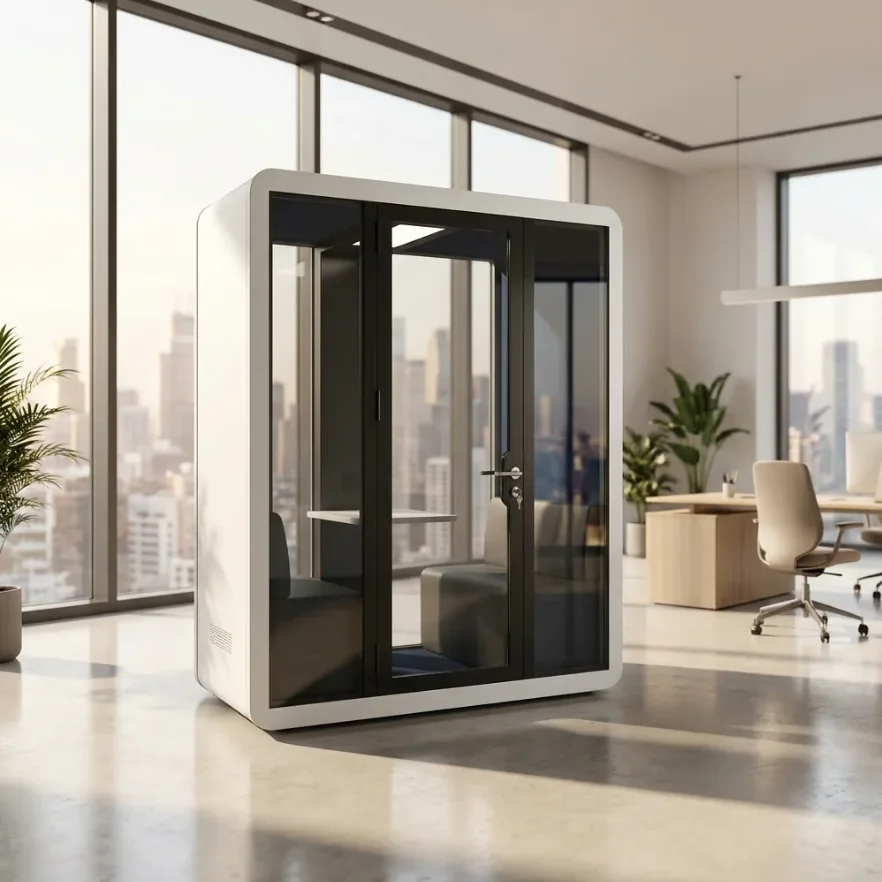
A table that fits a laptop may not accept a particular microphone clamp. A floor stand may fit when folded but obstruct the seat or door when deployed. Send the supplier the support dimensions and attachment requirements rather than asking only for a larger table. Let the supplier confirm suitable mounting locations and loads for the proposed construction; do not plan to drill panels or glass on site without an approved detail.
Check the setup in three states: entering and sitting down, recording, and reaching equipment for adjustment or maintenance. For a video recording, check that an acceptable camera view does not force an awkward microphone or script position. The furniture working-envelope guide addresses the movement-space checks in more detail.
For a two-person interview, ask whether each speaker can use the intended microphone position without leaning across the table or turning away from the other person. This is a layout review, not proof of recording quality. Final microphone selection and positioning belong with the audio specialist and the actual equipment documentation.
Will the recording booth also be your mixing room?
Keep a compact booth focused on recording when you can review or mix elsewhere, or when an appropriate headphone workflow meets the production brief. Buy space for loudspeaker monitoring inside only when the proposed listening arrangement works as well as the recording position. Fitting the computer and chair is not enough: a useful microphone position does not automatically make a useful place to judge a stereo mix.
First separate capture from playback. Recording a voice needs a workable performer-and-microphone arrangement; mixing on loudspeakers needs a workable speaker-and-listener arrangement. If a suitable listening room already exists, keeping that position can avoid paying for a larger booth and a second monitoring installation. Headphone-based work removes the need to fit a loudspeaker listening triangle, but the headphones, monitoring level and review process still need to suit the deliverable. It does not make every headphone an accurate mixing reference.
Draw the listening position before adding speakers to the quote
- Start with the selected monitor’s operating guidance. Check its recommended listening range and orientation before scaling a layout down. Genelec’s selection guide explains that a position can be too close for a multi-driver monitor’s intended integration. A smaller cabinet or a lower volume setting does not, by itself, establish a suitable distance.
- Plot both speakers and the listener, not just the desk. Genelec’s stereo-placement guidance uses an equilateral listening triangle, with left-right symmetry and the speakers aimed toward the listener. Add the actual speaker bodies, supports, screen, chair and manufacturer-specified placement conditions. Then check entry and the recording position separately.
- Evaluate playback independently of the vocal take. Boundaries and listening position change the reproduced sound; room modes can create peaks and dips. A dry-sounding voice recording or soft wall lining does not verify monitoring accuracy. Compare the intended playback setup at the working position before approving a combined recording-and-mixing room.
Hypothetical geometry check: assume a selected monitoring arrangement permits an equilateral triangle with 0.80 m between the speaker reference points and 0.80 m from each to the listener. The listener is about 0.69 m behind the line joining the speakers: sqrt(0.802 – 0.402) = 0.693 m. That is only the triangle. It excludes cabinet depth, wall placement, treatment, chair movement and access. It is not a minimum booth size, a recommended distance for every monitor, or a measured MobileX layout.
If the selected speakers require more listening distance than the furnished layout can provide, reject that speaker-and-layout combination. Compare another supported monitor arrangement, headphone monitoring, or keeping playback outside; do not automatically buy a bigger enclosure. Conversely, do not reject every small room solely because it is small: the actual system, placement and acoustic result decide whether the combined task is workable.
Quote only the chosen workflow. An inside-speaker proposal needs its supports, connections, acoustic provision and playback assessment identified. A separate listening position needs its own usable workspace and connections. Retain suitable equipment rather than buying two complete systems by default. MobileX enclosure and furniture scope remains separate from the audio provider’s equipment selection and monitoring assessment; no studio-monitoring performance is implied for a standard office pod.
Separate three sound questions
What sound can enter or leave the enclosure?
Describe nearby conversations, doors, circulation routes and building equipment. Record the intended pod location and whether the surrounding activity changes during the day. Ask for evidence for the exact enclosure and configuration being offered, including the method, operating conditions and any differences from the tested arrangement.
A promotional dB figure alone does not establish that the proposed space will suit a particular recording task. Keep the measure and its test conditions attached to the result; do not relabel it as another sound-insulation metric. If the recordings contain sensitive conversations, the separate site-specific privacy review addresses potential listeners and confidentiality requirements.
What does the microphone capture inside?
Sound isolation and the sound of a voice within the enclosure are different questions. Shure's Microphone Techniques for Recording explains the relationship between the sound source, microphone placement and room reflections. A buyer therefore needs more than an external-noise claim when specifying a spoken-word recording space.
Ask the audio reviewer to consider the proposed surface arrangement and the actual microphone positions together. A visible soft panel or a furnished product image does not establish a reverberation result. Any requested acoustic treatment should have a defined purpose, suitable evidence and supplier confirmation of installation and maintenance conditions.
DPA's official guide to voice microphones identifies directional characteristics, handling and wind sensitivity, and distance-related changes in bass response as microphone considerations. Changing the microphone or its position can change the recording, so a demonstration should identify the audio setup as well as the pod.
When the unresolved problem involves a microphone stand or the booth support, compare recording-booth isolation bases and the noise paths they address before adding an accessory or more shell construction.
What operating equipment is part of the session?
List the ventilation, computer, lighting equipment, recording hardware and any other device that must operate during a take. Ask the audio reviewer to assess these conditions as part of the proposed setup. A quiet demonstration with required equipment absent or switched off is a different operating condition from the one being purchased.
Do not solve a recording brief by assuming essential ventilation can be disabled. Discuss the required operating mode with the enclosure supplier and the relevant equipment specialist. The ventilation guide covers airflow and fan-noise questions; it does not establish a recording-room noise level.
Single- or Double-Wall Recording Booths: What the Extra Shell Changes
Compare an additional-shell design when sound transmission through the enclosure is the unresolved problem and suitable evidence shows that the proposed complete construction addresses it. An extra shell is not the first remedy for internal reflections, a noisy computer beside the microphone or a poorly chosen room location. Those problems can make a recording unusable without establishing that a heavier enclosure is the right purchase.
First distinguish noise arriving at the microphone from sound leaving the space. A computer fan inside the booth remains inside an additional shell. Moving the noise source where the working arrangement permits, changing equipment or treating reflections can be more relevant than adding wall construction. Where an existing room already provides the necessary separation, improving that room’s recording setup can avoid buying another enclosure at all.
Compare construction, not the number in its name
Single-wall and double-wall are supplier descriptions, not a universal performance scale. An additional separated shell can change sound transmission, but the result depends on the complete assembly and its connections. Ask the competing specifications to identify what is actually different in the walls, floor and ceiling, and what happens at the door, ventilation and cable paths. Two products carrying the same wall label need not have the same construction.
Use evidence for the relevant frequencies, not just one headline number. Speech, an instrument and a low-frequency source do not create the same comparison. Keep the test method, complete configuration and operating conditions aligned: a closed ventilation path in one demonstration and normal ventilation in another do not represent the same working state. Laboratory enclosure data and a site demonstration answer related but different questions; neither should silently replace the other.
| Comparison basis | Hold constant | What can change the purchase |
|---|---|---|
| Same external allowance | The available floor area, height and access clearances. | Extra construction can reduce usable interior space unless another dimension changes. Compare the occupied desk, microphone and movement layout, not nominal outer size alone. |
| Same internal task | The required equipment positions, people and working clearance. | A different construction may need more external space. Compare the actual finished dimensions and site fit rather than assuming the same interior fits both shells. |
| Same sound question | The source, relevant frequency range, receiving position, ventilation state and complete door/service configuration. | Evidence must address the transmission problem that remains. A different metric or an unmatched configuration does not establish a useful upgrade. |
| Same delivery endpoint | An assembled, usable recording space at its intended location. | Total mass, largest delivery components, transport route, floor suitability, assembly and service connections can change feasibility and cost. |
For a planning example, take a recording desk and microphone position that already fill the available interior. Holding the outside footprint fixed may make a thicker construction a poor choice if it removes the working clearance. Holding the working layout fixed instead may require a larger external envelope. Neither outcome can be calculated from the words double-wall; use the proposed configuration’s actual inside and outside dimensions. This example makes no assumption about a MobileX option or a particular manufacturer’s space loss.
Keep three routes on the shortlist
Keep the existing room when the remaining problem is mainly internal reflection, equipment noise or a source position that can be improved there. Compare the specific room and equipment changes with an enclosure purchase, rather than buying a new shell to solve a different problem.
Keep a standard enclosure candidate when it accommodates the real working layout and relevant evidence supports the intended sound task. Paying for more construction is not inherently useful if the standard candidate already meets the defined requirement and the proposed upgrade adds no needed capability.
Compare a purpose-designed enhanced enclosure when transmission remains unacceptable for the task and evidence for the enhanced configuration addresses the relevant paths and frequencies. Check that its space, mass, door, ventilation and delivery requirements remain practical. More wall construction cannot compensate for an unresolved opening or an unsuitable site arrangement.
Price the complete alternative, not an extra wall in isolation
Compare enclosure supply, internal treatment, ventilation, door and service provisions, usable furniture/equipment space, freight, handling, assembly, site preparation and commissioning or assessment on the same basis. Existing-room work belongs in the alternative’s total too. Separate quoted amounts from unpriced obligations; there is no universal double-wall upgrade price or sound-reduction gain to insert into the calculation.
This is a method for comparing enclosure proposals, not confirmation that MobileX offers a double-wall option. MobileX’s stated factory result of up to 35 dB for standard MP1, MP1+, MP2 and MP3 remains a factory result within its stated scope. It is not an STC, Rw or ISO rating and does not establish suitability for instruments, low frequencies or a particular receiving room.
Ask for evidence matched to the decision
Agree who will evaluate the proposed solution before requesting a demonstration. A corporate content team may be able to judge whether a recording fits its production workflow. A demanding acoustic requirement, a difficult site or a contractual acoustic target may require a suitably qualified acoustics professional alongside the audio specialist.
Scroll sideways to view every column.
| Decision | Useful evidence or record | What it can and cannot establish |
|---|---|---|
| Whether the offered enclosure matches a stated acoustic result | Test report identifying the specimen, configuration, method and conditions | Supports the stated result within its scope; does not automatically establish the sound at your site or recording position |
| Whether the recording setup is suitable for the intended task | Agreed demonstration brief, identified microphones and settings, source files and operating-state notes | Helps the appointed reviewer judge that setup; an edited promotional clip cannot stand in for the missing configuration details |
| Whether people and equipment fit | Dimensioned layout with equipment models, supports, door movement and access | Supports a space review; does not establish isolation or audio quality |
| Whether the delivered scope is complete | Quotation listing enclosure items, audio equipment, installation, setup and assessment responsibilities | Identifies who supplies and checks each part; product photos alone do not define the contract |
For a proposed demonstration, specify a non-sensitive script or representative task, participants, equipment and required operating conditions. Ask which processing is applied to the files supplied for review and whether the reviewer needs an unprocessed version. Record any difference from the proposed order. This is a procurement evidence request, not a substitute for a professional measurement method or a universal pass/fail threshold.
If a trial does not meet the brief, identify the issue before choosing a remedy. A layout problem may call for a different support or seat arrangement. A site-noise problem may call for another location or further acoustic evaluation. A production requirement beyond the proposed solution may justify a purpose-designed recording room instead. Agree the revised scope and how it will be reviewed rather than treating an unspecified extra panel as a guaranteed fix.
Turn the brief into a quotation with clear responsibilities
Separate the enclosure, furniture, audio hardware, software, site connections, setup and assessment. Identify buyer-supplied equipment by model and ask who checks its interfaces. Microphones, recording software and specialist commissioning should appear as explicit supply items when included, not as assumptions attached to the phrase recording pod.
Use the custom-pod drawing guide for mountings, cable routes and proposed openings. Define the connection requirement without assuming that an ordinary socket, USB connector or network outlet delivers a particular recording-system function.
Before comparing prices, send each supplier the same brief:
- Recording output: [narration, interview, video or another defined task; person who reviews the result]
- People and positions: [inside/outside roles; seated or standing; equipment layout]
- Equipment: [microphones, supports, screens, recorder/interface, computer and software]
- Location and operation: [site plan, nearby activity, required ventilation and equipment states]
- Evidence: [documents and demonstration information required; reviewer and unresolved questions]
- Supply and site work: [supplier items, buyer equipment, local work and setup responsibilities]
For a MobileX POD enquiry, share this brief with the custom modular pod team, or request a project quotation. Ask for confirmation of the proposed configuration and its supporting evidence. The purpose is to establish a suitable project scope, not to infer a recording-grade rating or an included audio system from a general product description.